VoIP Call Quality: Common Issues and Smart Fixes
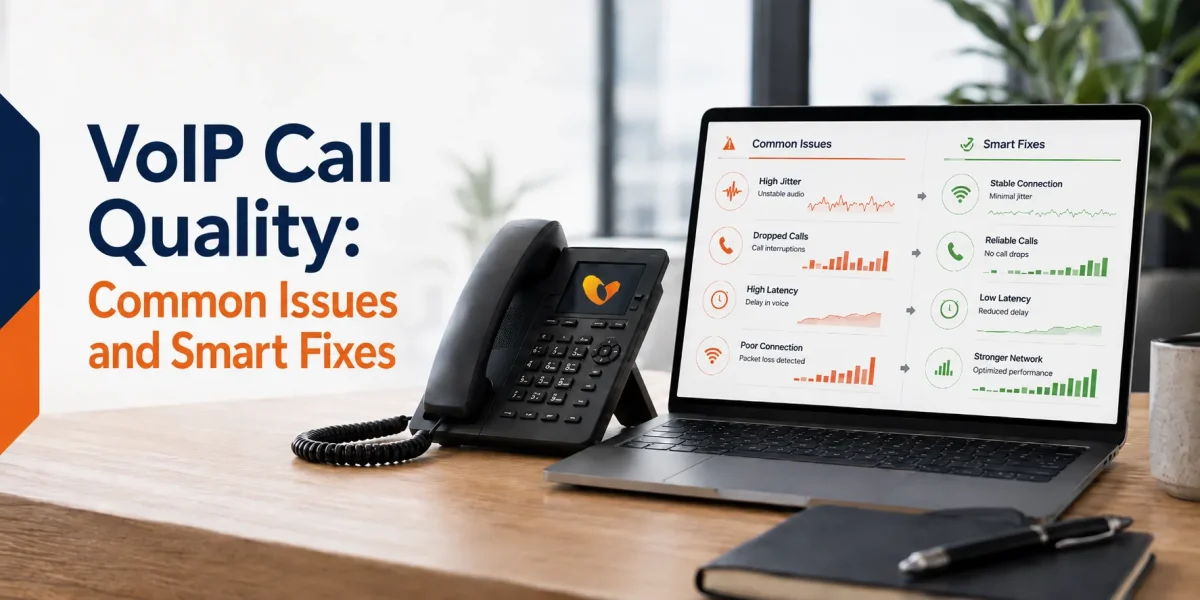

Table of Contents
A business call starts shaping trust in seconds. If the audio is clear, the conversation moves naturally. If the call breaks up, drags, or drops, even a strong team can sound disorganized.
That is why VoIP call quality deserves real attention. Businesses move to internet-based calling for flexibility, lower hardware burden, and better call handling, yet none of that carries much value when customers keep saying, “Can you repeat that?”
The stronger news is that most VoIP call issues are not mysterious. They usually come from a short list of network, device, setup, or provider factors. Once those are understood, many call quality problems can be reduced before they affect more sales calls, support conversations, or internal coordination.
This guide looks at the most common VoIP call quality issues, what usually causes them, the smartest ways to fix them, and how Vitel Global helps businesses keep calls clearer and more dependable.
What Is VoIP Call Quality?
VoIP call quality refers to how clear, stable, and natural a voice call sounds over an internet connection. A strong call has clean audio, little delay, and enough consistency that both people can talk without strain. A weak call may sound robotic, clipped, delayed, or uneven.
Voice over IP works by turning speech into digital packets and sending those packets across a network. That process moves quickly, though the network still has to carry the call without too much delay, loss, or interruption.
For a business, this is not only a sound issue. It affects how a company is heard. A sales rep who keeps asking a prospect to repeat a sentence loses momentum. A service team that sounds broken during a support call creates friction where there should be reassurance.
Why VoIP Call Quality Matters in Business
When a call sounds poor, the customer rarely thinks about bandwidth or device settings. They judge the conversation as a whole. That can affect several things at once:
- How professional the company sounds
- Duration taken to complete the call
- How often do people interrupt or repeat themselves
- How quickly a support issue gets resolved
- How confident does a sales conversation feel
This matters across many US business settings. A healthcare office in Phoenix, a legal team in Dallas, or a growing sales group in Atlanta may use business VoIP for different reasons, though they all need the same thing once the call begins. The audio has to hold up.
What a Reliable VoIP Setup Depends On
VoIP call quality is shaped by the full setup, not by one setting alone. A reliable business VoIP setup usually depends on:
- steady internet bandwidth
- low congestion during call hours
- router settings that give voice traffic priority
- devices that are configured properly
- a provider with stable infrastructure
- good call routing and continuity planning
If one part is weak, the call often shows it. Many businesses think VoIP itself is the problem when the real issue sits in a crowded network, a weak headset, a poor rollout, or a provider that does not support the business well once service begins.
A good setup should feel simple in daily use. Calls should connect cleanly, voices should stay clear, and the team should not have to think about the phone system every hour.
Improve VoIP Call Quality with Vitel Global
Get clearer business calling, stronger routing, and a phone system built to support daily conversations with less disruption.
Common VoIP Call Quality Issues Businesses Should Know
VoIP call issues tend to show up in familiar ways. Once the pattern is clear, it becomes easier to spot the cause and fix it.
Jitter
Jitter happens when voice packets arrive at uneven intervals or out of order. On the call, that can sound like clipped words, scrambled phrases, or audio that breaks apart.
Jitter often shows up on busy networks, especially when voice traffic is competing with large uploads, streaming, cloud sync, or other heavy activity.
Latency
Latency is the delay between one person speaking and the other person hearing it. A small amount of delay is normal. Too much of it makes the conversation awkward. People begin speaking over each other or leaving odd pauses between replies.
For business calls, even a mild delay can make the caller think the other person is distracted or unprepared.
Packet Loss
Packet loss means some of the voice data never arrives, or arrives too late to be useful. That creates missing words, broken phrases, or audio that sounds incomplete.
This is one of the fastest ways to make a call feel frustrating.
Dropped Calls
Dropped calls may come from weak WiFi, unstable internet, device issues, or poor routing. The moment a call drops, the conversation resets. The caller has to redial, repeat information, or wait for a callback.
That interruption may look small inside the office. It often feels much larger to the customer.
Echo, Distortion, and One-Way Audio
Echo may come from headset problems, speaker placement, or a delay inside the connection. Distortion usually points to weak bandwidth, poor hardware, or interference in the audio path.
One-way audio happens when one person can hear the other, though the sound does not travel back. That usually points to router, firewall, NAT, or device registration issues.
VoIP Call Quality Comparison: Traditional Phone Service vs VoIP Calling
| Comparison Point | Traditional Phone Service | VoIP Calling |
| Voice Delivery | Uses legacy phone lines | Uses internet-based voice packets |
| Mobility | More tied to physical lines | Works across desk phones, apps, and remote devices |
| Quality Control | Limited beyond carrier line quality | Depends on network, setup, and provider quality |
| Feature Depth | Often basic | Includes call routing, voicemail-to-email, reports, and call recordings |
| Troubleshooting Visibility | Lower | Easier to trace through network, hardware, and provider checks |
| Growth Fit | Slower for expanding teams | Better for multi-user and multi-location use |
| Remote Work Support | Less flexible | Stronger fit for office, home, and travel |
Traditional phone service can feel familiar. VoIP calling gives businesses more control and more flexibility. The tradeoff sits in setup quality. A well-planned VoIP system can sound excellent. A weak one will expose gaps quickly.
Improve VoIP Call Quality with Vitel Global
Give your team clearer calling, stronger routing, and a business phone system built for everyday work.
What Usually Causes VoIP Call Quality Issues
Most call quality problems come back to a handful of causes.
Weak or Inconsistent Internet
If the connection is unstable, voice traffic suffers first. A business may still be able to browse the web or send email, though calls are less forgiving. Voice has to move in order and at speed.
Network Congestion
Calls often sound worse during heavy network use. Large downloads, software updates, video streaming, and cloud backups can all crowd voice packets if the network is not set up with calling in mind.
Poor Router Configuration
A router that does not treat voice traffic properly can allow other activity to crowd the line. This is one reason some offices see mixed call quality across the same floor.
Device Quality
Headsets, desk phones, adapters, laptops, and mobile connections all affect audio. A worn cable or a poor microphone can look like a provider issue when it is really a hardware issue.
Provider Infrastructure
A business may have decent internet and still deal with weak calls if the provider side is not stable. Routing design, support coverage, carrier relationships, and platform quality all affect the result.
Smart Fixes That Improve VoIP Call Quality
Most businesses do not need to overhaul everything at once. The better approach is to fix the areas most likely to affect calls first.
- Start with the connection. Run speed and stability checks during normal business hours, not only when the office is quiet.
- Move high-call users onto wired internet where possible. WiFi works for many teams, though wired connections usually give more stable performance for employees who spend much of the day on live calls.
- Reduce congestion during heavy call periods. Large uploads, streaming, sync bursts, and background downloads can all affect voice quality more than people expect.
- Review the router. Voice packets should not be fighting with every other task on the network.
- Check the devices. A failing headset or aging adapter can create a call issue that looks much bigger than it is.
If problems continue across devices and settings, review the provider carefully.
How Vitel Global Helps Businesses Handle VoIP Call Quality Concerns
Many VoIP articles do a decent job of listing problems, then stop short of giving the buyer a stronger path forward.
Vitel Global approaches this differently. Its business phone system is built around the parts that matter once the call starts, including HD voice quality, advanced noise cancellation, smart call routing, custom IVR, call forwarding, department lines, mobile access, virtual numbers, and tools that help teams stay reachable across devices and locations.
Call quality is also shaped by continuity. Vitel Global’s business phone materials highlight number porting, cloud-based calling, routing tools, call summaries, reporting support, security measures, and uptime-focused reliability. Those points matter when a business wants more than a phone line. It wants a system that keeps calls moving during normal workdays, office changes, and team growth.
That same structure helps during migration. If a company needs to keep its numbers, add users, manage departments, or give remote staff the same call experience as office teams, the setup has to work cleanly from the start.
Why Businesses Choose Vitel Global for Better VoIP Call Quality
Most companies do not start thinking about call quality because they enjoy reading network terms. They start when calls begin to feel unreliable, teams lose time repeating themselves, or customers start hearing the cracks.
That is where Vitel Global makes a stronger case. It gives businesses a phone system built around how calls actually move through the day. Sales calls need to connect fast. Support calls need to reach the right person. Managers need a clearer view of call activity. Remote employees need the same level of access as office teams.
Vitel Global supports that daily reality with business calling tools that help keep communication organized and clearer in use. HD voice, advanced call handling, smart routing, voicemail support, virtual numbers, number porting, reporting visibility, and cloud access all contribute to that result.
The stronger value sits in stability. A phone system should not keep introducing doubt into the workday. It should give teams enough control that they can focus on the conversation, not the system behind it.
Put Better Call Quality Behind Every Business Conversation
See how Vitel Global helps teams reduce call issues and keep conversations moving with less friction.
What Businesses Should Review Before Choosing a VoIP Provider
A provider may sound strong in a sales conversation and still create trouble later. Call quality depends on more than the monthly plan.
A business should review a provider through a practical lens:
- How does the provider handle call routing and user management?
- Can the system support desk phones, mobile apps, and desktop use?
- What happens if one office loses connectivity?
- Is support available when quality issues show up during business hours?
- Can the business keep existing numbers during the switch?
- Are there reporting tools to spot issues early?
- Can the system support more users, departments, and locations later?
Those questions matter because call quality rarely breaks in theory. It breaks in the middle of live work, when a rep is speaking with a prospect or a support team is trying to solve something quickly.
Signs Your Business VoIP Setup Needs Attention
Some call quality issues are loud. Others build quietly inside everyday calls. Watch for signs such as:
- callers asking employees to repeat basic details
- long pauses in live conversations
- echo across more than one user
- dropped calls at certain times of day
- complaints tied to one office, one floor, or one device group
- employees avoiding the business line and using personal phones instead
- support teams spending more time handling the call than solving the issue
These signs usually point to a setup that needs review.
Ready for Better VoIP Call Quality?
Find out how Vitel Global can help your team sound clearer, stay reachable, and handle calls with more confidence.
Frequently Asked Questions
1. What affects VoIP call quality the most?
The biggest factors are internet stability, bandwidth use, router setup, device quality, and provider-side reliability. In many cases, weak call quality comes from more than one issue at the same time.
2. Can VoIP call quality sound as good as a traditional phone line?
Yes. A well-set-up VoIP phone service can sound as clear as, or clearer than, traditional business calling. The result depends on the network, the hardware, and the provider.
3. Why does my VoIP call sound robotic or broken?
That usually points to jitter, packet loss, or congestion on the network. The audio is arriving unevenly or incompletely, which makes the speech sound distorted.
4. Does WiFi affect VoIP call quality?
It can. WiFi may work well for many users, though wired connections often give more stable performance for employees who spend much of the day on business calls.
5. How does Vitel Global help with VoIP call quality?
Vitel Global supports business calling with HD voice quality, advanced noise cancellation, smart routing, call handling tools, mobile access, number porting, and uptime-focused reliability features.
Published: July 11th, 2022
Subscribe to Our Latest Updates
Get monthly product and feature updates, the latest industry news, and more!