AI Meeting Assistants: Data Privacy Principles Businesses Should Follow
9 min read
Table of Contents
An AI meeting assistant sounds harmless at first.
It joins a call, listens quietly, creates AI meeting notes, prepares a clean summary, pulls out action items, and saves everyone from writing minutes manually. For busy teams, that is useful. Sales calls get documented. Project updates become searchable. Follow-ups stop depending on memory.
But there is another side to it.
A meeting is not just a meeting. It may include client pricing, hiring plans, patient details, financial forecasts, legal concerns, employee issues, passwords, strategy discussions, or private opinions people would not want stored forever.
That is why businesses need clear guidance before using any AI meeting assistant, AI meeting recorder, or AI transcription software. The question is no longer, “Can AI take notes?” It can. The real question is, “Should this meeting be recorded, transcribed, stored, shared, or analysed by AI?”
That is where meeting data privacy starts.
What Is an AI Meeting Assistant?
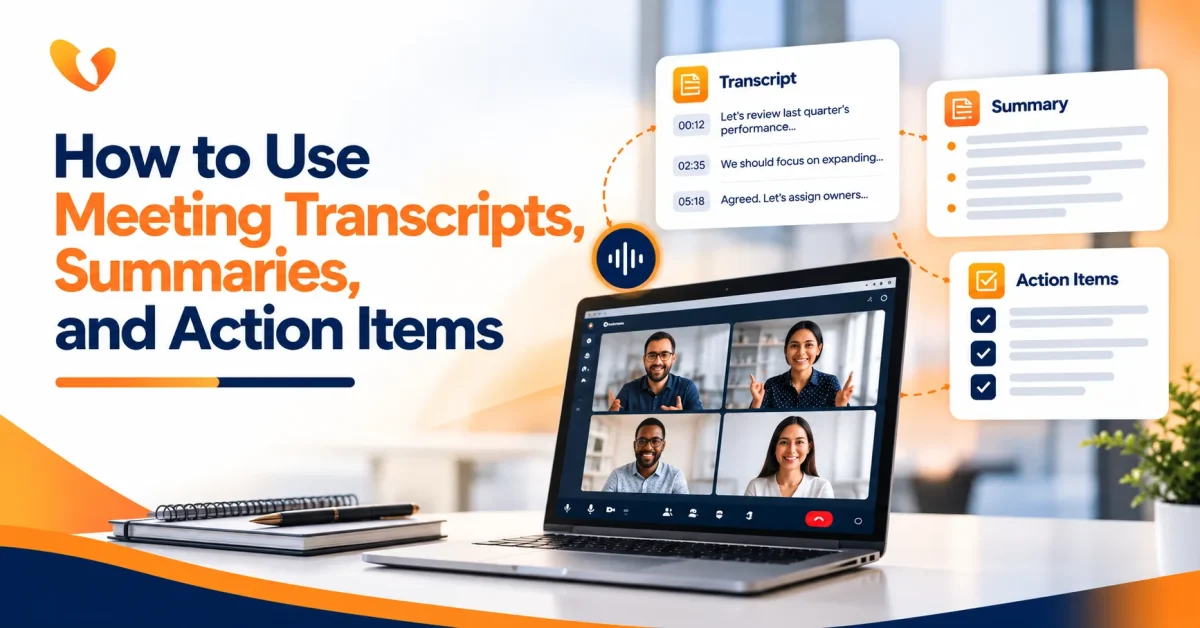
An AI meeting assistant is software that supports meetings by recording, transcribing, summarising, and organising conversations. It may work inside video meetings, phone calls, webinars, sales calls, internal meetings, or training sessions.
Most AI meeting tools can perform tasks such as:
- Recording meeting audio or video
- Creating AI meeting transcription
- Turning speech into written text
- Preparing AI meeting notes
- Highlighting decisions and next steps
- Capturing action items
- Labelling speakers
- Sharing meeting recaps
- Making conversations searchable later
In simple terms, an AI meeting note taker helps teams avoid losing important details after a call ends.
The problem is that the same tool also creates a detailed record of what people said. That record may be useful, but it can also become a privacy, compliance, or trust issue if the business does not control it properly.
Why AI Meeting Privacy Cannot Be an Afterthought
Many teams bring AI into meetings casually. Someone installs an app. The bot joins calls. Notes start arriving automatically. Everyone enjoys the convenience until one uncomfortable question comes up:
Who has access to all these transcripts?
That question matters because AI meeting notes are not the same as rough human notes. They can be more detailed, more searchable, easier to forward, and easier to store for longer than intended.
A casual internal comment can become part of the permanent transcript. A client objection can be shared with the wrong team. A sensitive HR discussion can appear in a searchable meeting library. A legal conversation can be recorded when it should not have been.
Good AI meeting privacy is not about avoiding technology. It is about using meeting assistant software with boundaries.
The First Rule: Tell People Before Using AI Meeting Recorder
No one should discover later that a meeting was recorded or transcribed.
Before using an AI meeting recorder or AI note-taking tool, the host should clearly tell participants what is happening. This is not only about legal consent. It is also about trust.
A simple notice can work:
“This meeting may be recorded and transcribed using an AI meeting assistant to create notes, summaries, and action items.”
For external meetings, this becomes even more important. Clients, vendors, candidates, consultants, and partners should know when AI is being used. If someone is uncomfortable, the host should be ready to pause or turn off the assistant.
The best meeting culture is not built on surprise recordings. It is built on clear expectations.
Not Every Meeting Should Be Recorded
This is where many businesses make mistakes.
They switch on automatic AI meeting transcription for every call because it feels efficient. But some meetings should not be recorded by default.
AI tools should be used carefully or avoided in meetings involving:
- HR complaints
- Disciplinary conversations
- Legal advice
- Medical or patient information
- Board discussions
- Mergers or acquisitions
- Confidential client strategy
- Salary or performance reviews
- Sensitive security issues
- Internal conflict resolution
In these cases, the business should decide whether AI is truly needed. Sometimes a short manual note is safer than a full transcript. Sometimes the right move is to record only the final decisions, not the entire discussion.
AI meeting tools are helpful when they capture business value. They become risky when they capture more than necessary.
Data Privacy Principles for AI Meeting Assistants
A business does not need a complicated policy to start using AI responsibly. It needs a few clear principles that everyone understands.
1. Use AI Only for a Clear Purpose
Before recording a meeting, ask why.
Is the AI meeting assistant being used to prepare minutes? Track action items? Help absent team members catch up? Create training material? Maintain client records?
The purpose should be clear before the meeting begins.
If the tool is used for AI meeting notes, the transcript should not later be reused for employee monitoring, sales pressure, performance scoring, or training unrelated AI systems unless the business has reviewed that purpose properly.
People may accept AI note-taking for productivity. They may not accept it if the same data is quietly reused for something else.
2. Collect Less, Not More
More data is not always better.
Some meetings need a full AI meeting transcription. Others only need a summary. Some may only need action items. A routine team sync does not always need a word-for-word transcript saved for years.
Data minimization means collecting only what the business actually needs.
For example:
A project review may need summary notes and action items.
A sales demo may need objections, requirements, and follow-up tasks.
A confidential HR meeting may need no AI recording at all.
The safest meeting data is often the data that was never collected unnecessarily.
3. Limit Access to Meeting Records
AI meeting notes should not be visible to everyone by default.
Access should depend on the meeting type, participants, and business need. A leadership discussion should not be available to the wider team. A client call should not be shared casually across departments. HR and legal meetings should have stricter access rules.
This is where Vitel Global’s AI meeting assistant approach becomes relevant for businesses. Instead of treating meeting notes as loose files, Vitel Global brings AI meeting summaries, transcripts, highlights, action items, analytics, playback, and downloads into a structured communication workflow. That helps teams manage meeting records with more control than scattered personal note-taking bots.
The point is simple: meeting intelligence should be useful, but not uncontrolled.
4. Set Retention Rules
Meeting records should not live forever just because storage is cheap.
Every organization should decide how long it keeps recordings, transcripts, summaries, and AI-generated notes. Routine internal recaps may only need a short retention period. Client records may follow contract terms. Regulated or legal meetings may need a separate policy.
Without retention rules, AI meeting transcription can quietly build a large archive of sensitive conversations.
That creates risk during disputes, audits, employee exits, vendor changes, or security incidents.
A practical retention rule is better than endless storage.
5. Check Vendor Data Policies
Before choosing AI transcription software or meeting assistant software, businesses should review how the vendor handles meeting data.
Important questions include:
- Is meeting audio encrypted?
- Who can access transcripts?
- Can admins control sharing?
- Is customer meeting data used to train AI models?
- Can recordings and transcripts be deleted?
- Where is the data stored?
- Does the tool support compliance needs?
- Are access logs available?
- Can recording be paused?
- Can certain meetings be excluded automatically?
This is especially important for industries such as healthcare, finance, legal services, insurance, education, consulting, and professional services.
The wrong tool can create privacy issues even when the team has good intentions.
AI Meeting Notes Are Useful Only When People Can Trust Them
A strange thing happens when people realize every word may become a transcript.
They may stop speaking freely.
Brainstorming becomes safer but weaker. Honest feedback becomes guarded. Sensitive questions are held back. A meeting that should help people think openly becomes a performance.
That is why AI meeting privacy is not only a technical issue. It is a workplace trust issue.
The host should be able to say:
“We are using the AI meeting assistant for notes and action items. The recap will be shared only with attendees. We can pause it if the discussion becomes sensitive.”
That sentence alone changes the mood. It tells people the tool is there to help the meeting, not watch them.
Where Vitel Global Fits Better for Business Meetings
Many AI note-taking tools focus on one task: transcribe the meeting.
That is useful, but businesses often need more than raw transcription. They need meeting records that connect to communication, follow-ups, accountability, and team workflows.
Vitel Global’s AI meeting assistant is better positioned for that because it supports AI meeting summaries, meeting transcripts, highlights, decisions, action items, analytics, playback, downloads, and sharing within a broader business communication environment.
This matters for privacy and productivity.
When meeting data sits across random apps, personal bots, inbox attachments, and disconnected tools, control becomes harder. When meeting intelligence is part of a unified communication system, teams can manage records more consistently.
For example, a sales team can capture client commitments and objections. A project manager can review action items. Executives can scan decisions. Training teams can use playback and transcripts for quality review. At the same time, the business can think more clearly about who should access what.
That is the difference between AI notes as a personal shortcut and AI meeting intelligence as a business system.
AI Transcription Software Should Not Replace Human Judgment
AI can transcribe audio to text quickly, but it is not perfect.
Names may be misspelled. Accents may affect accuracy. Background noise can distort meaning. The tool may summarize a point too strongly or miss the tone behind a decision. A sarcastic comment may appear serious. A discussion may look more final than it actually was.
That is why important AI meeting notes should be reviewed before they are treated as official records.
For routine meetings, the summary may be enough. For client commitments, financial decisions, legal topics, or project deadlines, a human should check the recap.
AI can support accountability. It should not become the only source of truth without review.
A Practical Policy for AI Meeting Tools
A business policy does not need to sound legal-heavy. It should be clear enough for employees to follow.
Here is a practical version:
- Use only approved AI meeting tools for business calls.
- Tell participants before recording or transcription begins.
- Do not use AI meeting assistants for sensitive meetings unless approved.
- Pause recording when confidential topics come up unexpectedly.
- Share AI meeting notes only with people who need access.
- Review summaries before sending them to clients or leadership.
- Delete recordings and transcripts based on company retention rules.
- Do not upload confidential meeting data into personal AI tools.
- Check vendor privacy, security, and data training policies before adoption.
That is enough to prevent many common problems.
What Businesses Should Avoid
The riskiest habit is letting everyone choose their own AI meeting note taker.
One employee may use a free tool. Another may use a browser extension. Someone else may invite a bot into client calls. Another person may upload recordings into an AI transcription tool without checking where the data goes.
This creates shadow AI.
The business may not know which meetings were recorded, where transcripts are stored, who has access, or whether data was used to improve AI models.
A second mistake is recording everything automatically. Not every meeting deserves a transcript.
A third mistake is ignoring external participants. A vendor, client, candidate, or consultant may have their own privacy expectations. The meeting host should make AI use clear before the call moves forward.
A fourth mistake is forwarding meeting summaries too freely. AI summaries can contain sensitive points that were never meant for broad distribution.
The Better Way to Use an AI Meeting Assistant
Good use of AI meeting tools feels organized, not intrusive.
Before the meeting, the host knows whether AI will be used.
At the start, participants are informed.
During the meeting, the recording can be paused if needed.
After the meeting, the summary is reviewed.
Only the right people receive the notes.
The transcript is stored only as long as needed.
That is a mature approach to AI meeting privacy.
It keeps the benefits of AI note-taking without turning every conversation into uncontrolled data.
Why This Matters for Remote and Hybrid Teams
Remote teams depend heavily on meetings. People work across time zones, calls happen back-to-back, and decisions often get buried inside long conversations.
An AI meeting assistant can help remote teams stay aligned. It can create AI meeting notes for people who missed the call, prepare action items for project owners, and make past discussions easier to search.
But remote work also increases privacy risk.
People may join from home, shared spaces, coworking areas, or client offices. Meetings may include screen shares, chat messages, personal details, or background conversations. AI meeting transcription may capture more than intended.
That is why privacy rules must travel with the tool, not stay inside the office.
Final Thoughts
AI meeting assistants are becoming part of everyday business communication. Used well, they save time, improve follow-ups, support accountability, and turn meetings into useful records.
Used carelessly, they can create privacy gaps.
The right approach is not to reject AI meeting tools. It is to use them with consent, purpose, access control, retention rules, vendor checks, and human review.
For businesses that want productivity without losing control of meeting data, Vitel Global offers a stronger path. Its AI meeting assistant helps teams capture AI meeting notes, transcripts, summaries, action items, decisions, analytics, and secure records within a broader communication platform.
That is what modern meeting intelligence should do.
It should help people remember what matters without exposing what should stay protected.
Smarter Meetings Without Losing Control
Capture AI meeting notes, summaries, and action items with full control over privacy, access, and data security using Vitel Global.
FAQs
1. What is an AI meeting assistant?
An AI meeting assistant records, transcribes, summarises, and organises meeting conversations into notes, action items, decisions, and searchable records.
2. Are AI meeting notes safe for business use?
AI meeting notes can be safe when businesses use approved tools, inform participants, restrict access, review summaries, and follow data retention rules.
3. What is AI meeting privacy?
AI meeting privacy means protecting meeting recordings, transcripts, summaries, speaker details, shared files, and action items from misuse or unauthorised access.
4. Should every meeting be recorded by AI?
No. Sensitive meetings involving HR, legal, medical, financial, disciplinary, or confidential client matters should be reviewed before AI recording is allowed.
5. Can AI transcribe audio to text accurately?
Yes, AI can transcribe audio to text quickly, but important transcripts should still be reviewed for names, context, decisions, and meaning.
6. How does Vitel Global support AI meeting notes?
Vitel Global helps teams create AI meeting summaries, transcripts, highlights, action items, decisions, analytics, playback, and downloadable meeting records.
7. Why choose Vitel Global for AI meeting assistance?
Vitel Global combines AI meeting notes, transcription, action items, analytics, and secure communication workflows in one business-ready platform.
Published: June 29th, 2026
Subscribe to Our Latest Updates
Get monthly product and feature updates, the latest industry news, and more!