



Business Phone Systems: Types, Costs, Features & Mistakes

Table of Contents
Missing a call isn’t just missing a call anymore – it’s a lost lead, an unhappy customer, a delayed service request, or a sales follow-up that never happens.
Business phone systems used to just be office phones on desks, but these days they’re so much more than that. For a growing business, you need calling, messaging, meetings, voicemail, call routing, analytics, CRM access, mobile apps and AI-powered follow-ups all working together in harmony.
This shift is especially important for small to medium-sized businesses, mid-sized companies, multi-location teams and businesses who are ditching landlines, PRIs, old PBX systems or basic VoIP tools. Customer expectations have changed – people want faster answers, smooth transfers and consistent communication across phone, chat, email and meetings.
This guide will walk you through the different types of business phone systems, how they work, what they cost and which features really matter. Plus, some common mistakes to avoid when choosing a provider.
What is a Business Phone System?
A business phone system is a communication setup that helps companies manage inbound calls, outbound calls, voicemail, routing, extensions, conferencing and team communication.
In simple terms, they help you answer, transfer, track and manage calls professionally without relying on personal phones or scattered tools.
A business phone system usually includes:
- Business numbers and extensions
- Call routing and auto attendant
- Voicemail and voicemail transcription
- Desk phone, mobile or desktop app access
- Call recording and analytics
- Video meetings and messaging
- CRM or helpdesk integrations
- Admin controls for users and locations
Modern business communication systems also include AI-powered call summaries, sentiment insights, action items, transcripts and automated follow-ups. This helps sales, support, operations and remote teams work from the same communication hub – and streamline their workflow in the process.
Why Do You Need a Business Phone System?
Business phone systems are important because communication is key to sales, service quality, productivity and customer trust.
For companies in the US, Canada, India, Mexico and beyond, phone communication is still a major part of customer experience – even if customers prefer email, chat or forms, many still end up calling when they need a quick answer.
A good phone system helps you:
- Reduce missed calls and voicemail delays
- Route callers to the right team faster
- Support remote and hybrid employees
- Lower unnecessary phone expenses
- Track call performance and team activity
- Improve customer response consistency
- Connect calls with CRM and support workflows
For the founder, the big concern is growth and cost. For the IT manager, it’s about uptime and integrations. For the support head, it’s about faster routing. For the sales leader, it’s about lead response speed. The best business phone systems help each team solve its own problem without creating more complexity.
How Do Business Phone Systems Actually Work?
Business phone systems work by connecting callers, employees, devices and communication tools through a central platform.
Here’s the basic lowdown:
First, a customer calls your business number. The system receives the call and checks the routing rules. The caller may hear an auto attendant asking them to choose sales, support, billing or another department.
Next, the call is routed to the right person, queue, location or device. In a cloud phone system or VoIP business phone system, the call can ring on a desk phone, laptop, mobile app or browser.
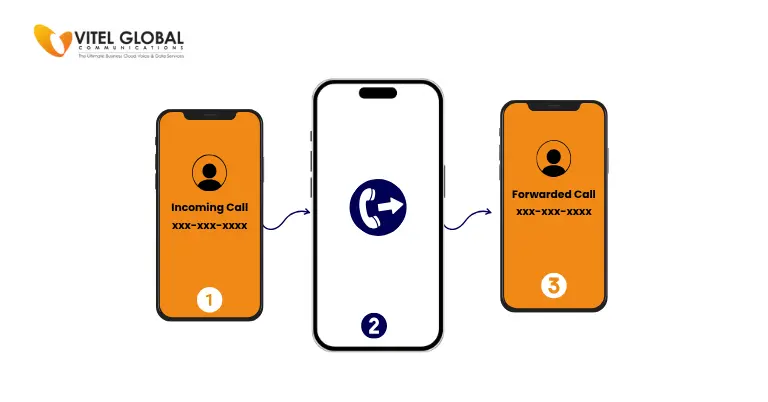
If the call is missed, it can move to voicemail, call forwarding, a backup user or an after-hours flow. Advanced systems can also create transcripts, summaries, call highlights and follow-up tasks.
Different Types of Business Phone Systems
There are several business telephone system types today. Some are older and hardware-heavy. Others are cloud-based and built for flexible teams. Here are the main options.
1. Traditional Landline Phone Systems
Traditional landlines use physical copper phone lines from a telephone provider. They are familiar and simple, but limited compared with modern business communication systems.
Landlines may work for very small offices that only need basic calling. However, they are not ideal for growing companies, remote teams, analytics, integrations, or advanced call routing. They can also become costly when a business needs multiple lines, long-distance calling, maintenance, or more locations.
2. KSU Phone Systems
A Key Service Unit, or KSU system, is an older office phone setup that connects multiple phone lines through a central hardware unit. Employees use desk phones with buttons for different lines.
KSU systems were once common for small offices, but they are no longer the first choice for growing companies. They need physical equipment, have limited scalability, and do not support mobile apps, CRM integration, or advanced reporting.
3. PBX Phone Systems
PBX phone systems, or Private Branch Exchange systems, connect internal extensions and external phone lines. A PBX allows employees to call one another internally and route outside calls through a shared system.
There are three common PBX options. On-premise PBX is installed at the business location and managed by internal IT teams or a telecom provider. IP PBX uses internet protocol to manage calls. Hosted PBX is managed by a provider in the cloud, giving the business PBX features without maintaining the main hardware.
PBX can still work for larger organizations with complex calling needs, but many businesses now prefer cloud and VoIP options because they are easier to scale and manage.
4. VoIP Business Phone System
A VoIP business phone system uses the internet to make and receive calls instead of relying on traditional phone lines. Employees can use desk phones, laptops, mobile apps, or softphones.
VoIP is one of the most popular types of office phone systems because it supports modern work. Teams can take business calls from the office, home, or while traveling. Managers can add users, change call flows, review call analytics, and connect calls with customer records.
Common VoIP features include auto attendant, call forwarding, call queues, voicemail-to-email, call recording, business SMS, desktop and mobile apps, video meetings, CRM integration, call analytics, and AI call summaries.
5. Cloud Phone System
A cloud phone system is hosted and managed by a service provider. The company does not need to maintain heavy phone hardware on-site. Users access the system through desk phones, computers, browsers, or mobile apps.
Cloud systems are popular because they are easier to set up, scale, and manage. A business can add employees, create call groups, update routing, manage voicemail, and review reports from an online dashboard.
6. Virtual Phone Systems
A virtual phone system gives a business a professional phone number and routes calls to existing phones or apps. It is lighter than a full PBX or VoIP setup.
This option works well for freelancers, startups, consultants, real estate agents, and small service businesses that want a business number without installing office hardware. However, it may not be enough for companies with high call volume, call queues, department routing, or detailed analytics.
7. Unified Business Communication Systems
Unified business communication systems bring calling, messaging, meetings, SMS, voicemail, analytics, and integrations into one platform. Instead of switching between several tools, employees manage daily communication from a connected workspace.
This is where modern phone systems are heading. A company may need calling, but it also needs fast follow-ups, meeting links, call summaries, team messaging, customer notes, and reporting.
Business Phone System Types Comparison
| System Type | Best For | Strength | Watch Out For |
| Landline | Basic offices | Familiar calling | Limited features |
| KSU | Small traditional offices | Simple line control | Outdated hardware |
| PBX | Structured office calling | Extension management | Higher maintenance |
| Hosted PBX | PBX features without on-site control unit | Provider management | Monthly fees |
| VoIP | Modern business calling | Flexible and feature-rich | Internet quality |
| Cloud Phone System | Remote and growing teams | Easy scaling | Provider dependency |
| Virtual Phone System | Startups and solo users | Low setup effort | Limited depth |
| Unified Communications | Multi-channel teams | Calls, meetings, messaging | Needs adoption |
Common Business Phone System Challenges, Mistakes and Risks
Deciding on a phone system looks straightforward, but until the day to day problems start to appear it can be a real challenge. Here are the things businesses should be avoiding.
1. Only going for the lowest price
The cheapest option might not include all the features you need, like call recording, analytics, voicemail transcription, routing, integrations or support. A low monthly rate can quickly turn into a more expensive option if you need to add extras later.
2. Not checking out current call issues
Lots of businesses switch systems without checking what went wrong with the old one, like missed calls, peak hours, abandoned calls, transfer issues or after-hours gaps. Without that audit, the new system may just repeat the same old issues again.
3. Overlooking the needs of remote teams
A system that only works in the office just won’t cut it for modern teams. Remote users need mobile apps, desktop access, secure login, voicemail, call routing and consistent caller ID.
4. Forgetting to check the integrations
Sales and support teams often need their systems to work with other tools, like CRM, ticketing, email, calendar or workflow systems. Without any integrations, employees spend all day switching between tabs and manually updating records.
5. Not planning for number porting
Number porting can affect all sorts of things – sales lines, support numbers, toll-free numbers and even local presence. Businesses need to plan ahead for things like timing, ownership checks, backups and customer communication before switching.
6. Skipping training all together
Even with the best system, if your staff aren’t trained on how to use it – it’s just not going to work. You need to give your teams a quick and easy refresher on call transfers, voicemail, queues, mobile apps, recordings and reporting.
Strategies for Choosing the Right Business Phone Systems
1. Start by defining your real communications problem
You need to figure out what’s really holding you back. Are you losing leads? Are calls going to the wrong team? Are your remote employees still using personal numbers? Are managers struggling to review call performance?
Setting clear goals makes it way easier to pick the right system. For example, a support-heavy company might need queues, IVR, call recordings and analytics. A sales team might need CRM integration, call notes, mobile access and follow-up reminders.
2. Compare the right types of business phone systems for your business
Not every company needs the same system. A small office might just need a simple VoIP business phone system. A growing multi-location business might need a cloud phone system with some admin controls. A support team might need contact centre features.
Compare business phone system types based on call volume, locations, remote users, compliance needs and internal IT capacity – to avoid paying for tools that are just a waste of money.
3. Audit your office phone systems before switching
Before you switch, take a good hard look at what’s currently going on. Check your call logs, missed calls, voicemail volume, customer complaints, peak calling hours and transfer patterns.
This audit will help you figure out which types of office phone systems are no longer working for you. And, it’ll give decision-makers a practical wish-list instead of just some vague ideas.
4. Review features by team, not just by platform
Different teams have different needs. Sales want a fast lead response. Support wants better routing. IT wants security and easy administration. Execs want reporting and cost control.
Useful features might include auto attendant, IVR, call queues, call recording, voicemail transcription, mobile apps, video meetings, analytics, AI summaries and multi-site management.
5. Get a handle on the full business phone system cost
The cost of a business phone system usually depends on users, calling plans, features, devices, setup, integrations, international calling and support level.
A hosted VoIP or cloud system often uses a per-user monthly model. PBX phone systems may involve hardware, maintenance, licenses and technician costs. Always compare the total cost – not just the advertised monthly fee.
So ask about:
- Setup or activation fees
- Desk phone costs
- Number porting
- Toll-free numbers
- International calling
- AI or analytics add-ons
- Contract terms
- Support charges
Growing companies should avoid systems that become a nightmare to manage once you start adding users, branches or remote teams – it just gets out of hand.
A scalable system needs to let admins add users, assign numbers, alter routing rules, manage locations and review reports all from one dashboard. And that’s especially useful for companies that are operating across the States, Canada, India, Mexico or any global remote teams.
6. Check on reliability, security and emergency calling
Business calling needs a stable internet connection, reliable uptime, secure access and proper emergency calling setup. I’d ask any provider about redundancy, encryption, user permissions, call recording controls and location settings.
And for remote employees, you’ll want to get really clear on registered location details and emergency calling policies – it’s not just a technicality, it’s part of responsible business communication.
7. Choose a platform that fits future workflows
Phone systems are moving beyond just calls. Now teams need connected communication across voice, video, messaging, contact centre workflows, CRM and AI-powered insights.
A platform like Vitel Global is great for businesses that want calling, meetings, messaging, routing, AI summaries, analytics and customer conversations all connected in one place, rather than spread across loads of disconnected apps.
What Factors Make Business Phone Systems Work?
The success of business phone systems depends on more than just the name of the provider.
The first factor is call quality. A VoIP business phone system needs strong internet, proper network setup and quality devices.
The second factor is user adoption. If employees don’t get the system, they may just keep using their personal phones, manual notes or just stick with old habits.
The third factor is routing accuracy. Poor call flows create long wait times, repeat transfers and frustrated customers.
The fourth factor is reporting. Managers need to be able to see missed calls, response times, call volume, recordings and team performance.
The fifth factor is integration. A phone system becomes way more valuable when it connects with CRM, helpdesk, calendar, email and workflow tools.
The sixth factor is provider support. Fast onboarding, number porting help, training and technical support can all make the transition a lot easier.
Quick Checklist Before Choosing a Business Phone System
- Work out the main reason you’re looking to replace your current phone system.
- List off all the users, departments, locations and remote employees.
- Have a look at the number of missed calls, call volume, peak hours and routing issues.
- Compare cloud, VoIP, PBX, UCaaS and contact centre options.
- Identify the must-have features for sales, support, IT and operations.
- Work out the total cost, including devices, add ons, setup and support.
- Confirm the number porting steps before you cancel the old service.
- Give the system a test run with mobile, desktop, desk phone and browser-based calling.
- Review security, emergency calling, permissions and call recording rules.
- Get your teams trained up before the system goes live.
Simplify Your Business Communication.
Try Our Phone Service Now! Choose the Right Business Phone System
FAQs
1. What are the main types of business phone systems?
The main types of business phone systems include landline, KSU, PBX phone systems, VoIP business phone systems, cloud phone systems, virtual phone systems, and unified communication systems. Most growing businesses now prefer VoIP and cloud options because they are easier to scale, manage, and support remote teams.
2. Which business phone system is best for small businesses?
A VoIP business phone system or cloud phone system is often best for small businesses. These systems reduce hardware needs, support mobile users, and include features like call routing, voicemail, auto attendant, analytics, business SMS, and video meetings.
3. Is a cloud phone system better than a PBX phone system?
A cloud phone system is usually better for businesses that need flexibility, remote access, lower maintenance, and faster scaling. PBX phone systems can still work for office-based teams, but they often need more hardware, IT support, and manual management.
4. How much does a business phone system cost?
Business phone system costs depend on users, features, devices, setup, calling plans, integrations, support, and contract terms. Cloud and VoIP systems are usually priced per user per month, while PBX systems may include hardware, licenses, maintenance, and technician fees.
5. What features should a modern business phone system include?
A modern business phone system should include call routing, auto attendant, voicemail, call recording, mobile apps, desktop apps, business SMS, video meetings, analytics, CRM integration, number porting, and AI-powered call summaries.
6. Can Vitel Global replace an outdated PBX phone system?
Yes. Vitel Global helps businesses move from outdated PBX phone systems to a cloud-based communication platform with VoIP calling, call routing, messaging, meetings, analytics, and AI-powered communication features.
7. Does Vitel Global support remote and hybrid teams?
Yes. Vitel Global supports remote and hybrid teams with cloud calling, mobile apps, desktop access, messaging, meetings, voicemail, routing, and centralized communication tools that help employees stay connected from anywhere.
8. Why should businesses choose Vitel Global for business phone systems?
Businesses can choose Vitel Global to bring calling, messaging, meetings, routing, analytics, and AI-powered summaries into one unified platform. It helps teams reduce missed calls, improve follow-ups, and manage customer conversations more efficiently.
Published: November 3rd, 2021
Subscribe to Our Latest Updates
Get monthly product and feature updates, the latest industry news, and more!