



AI Call Summaries That Capture What Matters
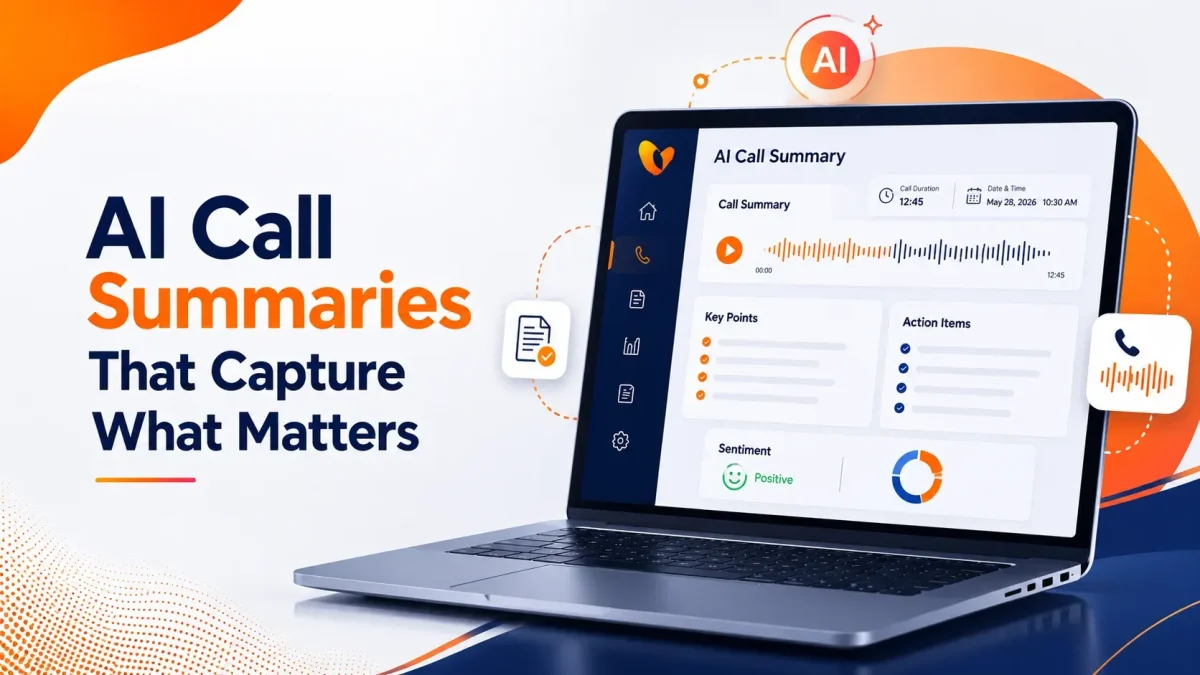

Table of Contents
A sales representative finishes a promising 18-minute call and immediately joins another meeting. Two hours later, the notes in the CRM say:
“Customer interested. Follow up next week.”
Interested in what? Who needs to follow up? What was promised? Did the customer mention a budget, deadline, competitor, technical concern, or decision-maker?
The call happened, but most of its value disappeared.
That is the problem AI call summaries are supposed to solve. A useful summary does not merely shorten a conversation. It preserves the information people need after the call ends: why the customer called, what was discussed, what was agreed, and what needs to happen next.
The difference between a weak summary and a useful one is not length. It is whether the right details survive.
What Are AI Call Summaries?
AI call summaries are automatically generated records that condense phone conversations into their most important points.
The software processes a call recording or transcript, identifies relevant topics, and organizes the conversation into a shorter format. Depending on the platform, the finished summary may include:
- The reason for the call
- Customer questions or concerns
- Products and services discussed
- Decisions made during the conversation
- Promises or commitments
- Objections and buying signals
- Tasks assigned to employees
- Deadlines and follow-up dates
- The final outcome of the call
- Customer sentiment
This gives employees a quick way to understand what happened without replaying an entire recording.
Vitel Global’s AI Call Summaries and Transcriptions provide post-call summaries alongside speaker-labeled, time-stamped transcripts, highlighted topics, sentiment information, and action items. Summaries can also be shared, downloaded, or reviewed with the related call record.
A Transcript Records the Call. A Summary Explains It.
Call transcription and call summarization are closely connected, but they serve different purposes.
A transcript attempts to preserve every spoken word. That is useful when someone needs to confirm exact language, review a disputed statement, examine how a representative handled the conversation, or maintain a detailed record.
A summary removes repetition and organizes the meaning.
| Call Transcript | AI Call Summary |
| Shows the complete conversation | Highlights the most important information |
| Preserves exact wording | Condenses key ideas and outcomes |
| Best for detailed review and verification | Best for quick understanding and follow-ups |
| Takes longer to read | Quick to review and act on |
| Includes small talk and repetition | Focuses only on relevant points |
| Serves as supporting evidence | Provides a clear operational overview |
The two work best together.
A salesperson may read the summary before calling a prospect back. A manager may open the transcript when a detail needs verification. A support leader may listen to the recording if the customer disputes what was promised.
The summary provides speed. The transcript provides depth.
What Should a Useful AI Call Summary Capture?
A customer call contains more than a topic. It contains context, expectations, decisions, and responsibilities.
A strong summary should answer the questions a teammate would ask after missing the call.
Why Did the Person Call?
The opening line should make the purpose clear.
“Customer called about billing” is technically correct, but it is not very helpful.
A better summary would say:
“Customer questioned a $75 installation charge that was not included in the original estimate.”
Now the next employee understands both the subject and the specific concern.
What Information Changed During the Call?
Calls often begin in one place and end somewhere else.
A prospect may ask about pricing, then reveal that the company needs 60 phone lines across three offices before October. A support call may begin with a password problem and uncover an account-permission issue.
The summary should reflect what the conversation revealed, not only how it started.
What Was Decided?
A good post-call summary clearly separates discussion from decisions.
For example:
- The customer selected the annual plan.
- The installation date was moved to August 12.
- The refund request was declined.
- The support case was escalated.
- A product demonstration was scheduled.
Without this distinction, employees may repeat work or reopen questions that were already resolved.
Who Agreed to Do What?
“Follow up required” leaves too much room for error.
A usable summary identifies ownership:
“Jordan will send the revised proposal by Thursday. The customer will confirm the number of users after reviewing it with the finance team.”
That one line gives both sides a responsibility and a deadline.
What Could Affect the Next Conversation?
Not every useful detail becomes an action item.
The customer may prefer email. The decision-maker may be unavailable until Friday. A competing contract may expire next month. The caller may have expressed frustration about a previous delay.
These details help the next employee continue the relationship without making the customer repeat everything.
How Does AI Call Summarization Work?
The process usually begins when a recorded business call ends.
First, automatic speech recognition converts the audio into text. Speaker identification separates the participants so the system can distinguish the employee’s statements from the customer’s.
The summarization model then reviews the transcript for recurring topics, important statements, questions, commitments, outcomes, and tasks. Some platforms also analyze sentiment or categorize the conversation.
The finished summary is delivered through a dashboard, email, mobile application, CRM entry, or downloadable record.
Vitel Global’s AI Call Assistant brings call summaries, transcripts, topics, action items, sentiment analysis, and reporting into the business calling experience. The information is available across mobile, desktop, and web access points.
The process is automatic, but it should not be treated as unquestionable. Important numbers, names, commitments, cancellations, and policy decisions may still require verification against the transcript or recording.
Where AI-Generated Call Summaries Save the Most Time
The clearest benefit is reduced note-taking, but the effect reaches much further.
Sales Representatives Can Return to the Conversation Faster
A salesperson may handle several calls in one day, each involving different needs, budgets, objections, and buying timelines.
Before the next follow-up, the representative can review the previous summary instead of searching through scattered notes or replaying a 30-minute recording.
A useful sales summary may show:
- The buyer’s main objective
- Current provider or solution
- Budget concerns
- Features discussed
- Internal approval process
- Expected decision date
- Promised follow-up material
This improves continuity. The representative sounds prepared because the customer does not have to explain the same background again.
Support Teams Can See the Full Problem
Support calls often involve several troubleshooting steps. Manual notes may record the final issue but omit what was already attempted.
AI call notes can preserve the sequence:
“Customer restarted the router and replaced the cable. Connection remained unstable. Agent identified outdated firmware and escalated the issue to Level 2 support.”
The next employee knows what not to repeat.
Summaries can also make unresolved complaints easier to identify. Vitel Global’s AI Call Insights and Reports combine summaries with transcripts, sentiment scoring, topics, and downloadable reports for coaching, customer service, and operational review.
Managers Can Review More Calls Without Listening to Every Recording
Listening to full recordings is valuable, but it does not scale well.
A manager responsible for dozens of employees may not have time to review every conversation from beginning to end. Summaries provide a first layer of visibility.
The manager can scan for:
- Escalated issues
- Missed follow-ups
- Repeated objections
- Unusual call outcomes
- Negative customer sentiment
- Coaching opportunities
- Policy or process gaps
Recordings can then be reviewed selectively where closer attention is needed.
Field Teams Can Recover Details They Could Not Write Down
A technician, property agent, consultant, or sales representative may take a call while traveling between appointments.
Even when the person remembers the main point, small details can disappear quickly. A call summary preserves addresses, dates, requested services, customer concerns, and agreed next steps without requiring the employee to take notes while moving.
Executives Can Spot Patterns Across Conversations
One summary explains one call. A collection of structured summaries can reveal a broader trend.
Perhaps customers repeatedly ask for a feature that is not offered. Maybe pricing confusion appears after a new campaign launches. A branch office may receive more cancellation calls than other locations.
These signals can inform product decisions, training, marketing, staffing, and customer retention efforts.
What Makes an AI Call Summary Reliable?
A summary should be judged by how safely someone can act on it.
It Preserves Negation
There is a significant difference between:
“Customer wants to cancel.”
and:
“Customer does not want to cancel unless the service issue continues.”
Missing one word can reverse the meaning of the call.
It Captures Exact Entities
Names, phone numbers, account references, dates, prices, order numbers, addresses, and product versions need special attention.
A polished paragraph is not useful if the quoted refund amount is wrong.
It Separates Each Speaker
Speaker-labeled transcripts help employees see who made a statement or commitment. Without clear speaker separation, the summary may attribute the customer’s suggestion to the representative or vice versa.
It Identifies Ownership
Action items should indicate who is responsible whenever the conversation makes that clear.
“Proposal to be sent” is weaker than “Account manager will send the revised proposal by Tuesday.”
It Keeps the Transcript Available
The summary should not become the only record.
Employees need a way to confirm important details against a searchable transcript or recording, especially when the call involves payments, cancellations, complaints, contractual statements, or compliance requirements.
It Fits the Business
A sales team, medical office, insurance agency, support center, and property company do not need the same summary format.
Custom fields and industry-specific templates help the AI prioritize the information that actually matters to each team.
Common Problems With AI Call Summaries
Automatic summaries can save time, but poor configuration creates a new kind of administrative problem.
1. The Summary Is Too General
“Customer discussed service options and requested follow-up.”
That sentence could describe thousands of calls. It does not tell the next employee which option was discussed or what follow-up was requested.
2. Important Details Are Buried
A summary may capture the customer’s general request but overlook a deadline mentioned near the end of the call.
The customer needed installation before a store opening. The summary only says the customer requested installation information.
The topic survived. The business priority did not.
3. The System Softens the Customer’s Reaction
“Customer expressed concern” may not accurately represent someone who said they would cancel unless the issue was fixed that day.
Sentiment should provide context, but employees still need access to the caller’s actual language.
4. Tasks Have No Deadline or Owner
A list of action items is not enough when nobody knows who should complete them.
Call workflows should assign tasks to a team, employee, queue, or CRM process whenever possible.
5. Summaries Stay Trapped in Another Dashboard
A summary creates little value if the sales or support team never sees it.
Connecting call information with a CRM, help desk, email workflow, or shared system keeps it close to the work that follows. Businesses can review Vitel Global integrations when planning how call records should move between communication and business tools.
How to Choose an AI Call Summarization Tool
A product demonstration may show a clean paragraph after a perfect call. Real conversations are less controlled.
Test the platform using calls that include interruptions, background noise, similar-sounding names, technical terms, multiple speakers, changing requests, and unclear outcomes.
Then examine the summary.
Did it identify the real reason for the call? Did it capture the promise made by the employee? Did it distinguish a request from a confirmed decision? Are the names, dates, and amounts correct? Can someone trace a summary point back to the transcript or recording?
Also check whether the tool supports:
- Speaker-labeled transcription
- Searchable call records
- Action-item extraction
- Sentiment or topic identification
- Download and sharing controls
- Mobile and desktop access
- CRM or workflow integration
- Secure recording and transcript access
- Custom summary formats
- Permission-based team access
The best AI call summary is not necessarily the longest or most detailed. It is the one employees can review quickly and trust enough to take the correct next step.
Turn Calls Into Action With Vitel Global
Vitel Global AI Call Summaries turn completed business calls into searchable transcripts, concise summaries, highlighted topics, sentiment cues, and clear action items.
The capability works alongside the broader Vitel Global AI Call Assistant, which connects call summarization with business calling, analytics, reports, and multi-device access. Teams can review what happened, understand the customer’s intent, and follow up without starting from memory.
For organizations that need deeper visibility, AI Call Insights and Reports help managers examine customer sentiment, recurring topics, call outcomes, and team performance.
The result is not simply a shorter version of a recording.
It is a clearer record of what the customer needed and what the business should do next.
Turn Every Call Into Clear Next Steps
Automatically capture call summaries, transcripts, and action items to improve follow-ups and customer conversations.
Frequently Asked Questions
1. What is an AI call summary?
An AI call summary is an automatically generated overview of a phone conversation. It typically captures the call purpose, main discussion points, outcome, and required follow-up actions.
2. How are AI call summaries created?
The system converts recorded speech into text, identifies the speakers, analyzes the transcript, and extracts important topics, decisions, commitments, and tasks.
3. What should a professional call summary include?
It should include the reason for the call, customer needs, major details, decisions, commitments, unresolved issues, action owners, and follow-up deadlines.
4. Are AI call summaries the same as call transcripts?
No. A transcript contains the complete spoken conversation. A summary condenses that conversation into the information employees are most likely to need afterward.
5. Can AI call summaries identify action items?
Yes. AI call summarization software can identify tasks and next steps when they are stated during the conversation. Important commitments should still be checked when accuracy is critical.
6. Can AI-generated call summaries help sales teams?
Yes. Sales teams can use summaries to review customer needs, objections, buying signals, promised materials, and next steps before a follow-up conversation.
7. Does Vitel Global provide call transcripts with summaries?
Yes. Vitel Global provides speaker-labeled transcripts alongside post-call summaries, topics, sentiment information, and action items.
Published: July 27th, 2026
Subscribe to Our Latest Updates
Get monthly product and feature updates, the latest industry news, and more!