The Top Call Transcription Software for Your Business
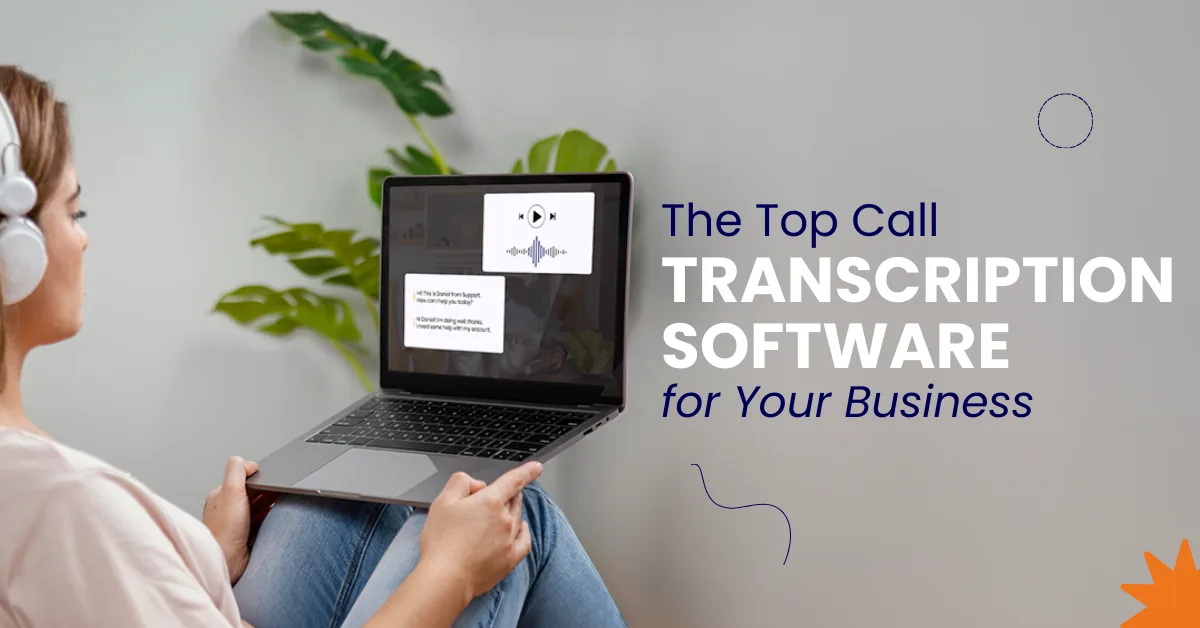

Table of Contents
Every business relies on conversations to move work forward. Sales calls, support discussions, meetings, and voicemails all carry important details that are easy to miss when relying on memory or manual notes.
Call transcription software helps capture these conversations accurately, turning spoken words into searchable text and actionable insights. This allows teams to follow up faster, collaborate better, and make informed decisions without extra effort.
That’s where Vitel helps businesses simplify transcription and turn everyday conversations into valuable intelligence.
This guide explains:
- How modern call transcription software works
- AI transcription vs human transcription services
- Key features that actually matter
- Use cases across sales and support teams
- Pricing models and plan structures
- How to choose the best call transcription software for your business
What Is Call Transcription Software?
Call transcription software automatically converts phone calls, voicemails, and meetings into written text. It records calls, processes audio files, and produces accurate transcripts in real time or after the call.
Modern transcription tools do more than text:
- Generate call summaries
- Identify multiple speakers
- Track conversation patterns
- Enable follow-ups and coaching
- Power conversation intelligence
This turns every customer call into usable call data.
Why Businesses Are Replacing Manual Note Taking
Manual notes fail because they are:
Incomplete during fast conversations
Important details get missed when conversations move quickly.
Inconsistent across team members
Each team member records different information, causing misalignment.
Impossible to scale across unlimited calls
Manual note-taking cannot support high call volumes.
Lost after meetings and follow-ups
Notes are forgotten, misplaced, or never properly shared.
Call transcription fixes this by creating:
Automatic transcripts
Calls are recorded and transcribed automatically without manual effort.
Highly accurate transcriptions
AI captures conversations clearly with consistent accuracy.
Searchable meeting notes
Teams quickly search conversations to find critical information.
Shared records for team collaboration
Everyone accesses the same transcripts for better collaboration.
Sales, support, and leadership all work from the same source of truth.
AI Transcription vs Human Transcription Services
1. AI Transcription Tools
AI transcription uses speech-to-text models trained on millions of phone conversations.
Advantages
Real-time transcription
Converts spoken conversations into text instantly during live calls.
Automatic call summaries
Generates concise summaries highlighting key points and action items.
Handles unlimited transcription
Processes large volumes of calls without manual effort.
Works across phone calls and video meetings
Supports transcription for calls, meetings, and virtual discussions.
Supports multilingual transcription
Transcribes conversations accurately across multiple languages.
Scales across unlimited calls
Easily manages growing call volumes without performance loss.
Limitations
Accuracy can dip with poor audio quality
Low-quality audio reduces transcription accuracy in some situations.
Background noise may affect edge cases
Excess noise occasionally interferes with speaker recognition accuracy.
2. Human Transcription Services
Human transcription involves real people manually transcribing audio files.
Advantages
Strong accuracy for complex speech
Human transcribers accurately interpret nuanced, technical, or unclear speech.
Useful for legal or archival needs
Provides reliable records for compliance, legal, and long-term storage.
Limitations
Human transcription takes longer
Manual transcription requires significant time compared to automated solutions.
Not real-time
Transcripts are delivered after processing, not during conversations.
Expensive at scale
Costs increase significantly when transcribing large call volumes.
No AI summaries or sentiment analysis
Lacks automated insights like summaries, emotions, and trends.
Poor fit for high call volume teams
Manual workflows struggle to handle frequent, ongoing conversations.
Bottom line:
AI-powered transcription is ideal for daily business operations. Human transcription services work best for limited, high-stakes recordings.
Key Features to Look for in Call Transcription Software
1. Transcription Accuracy
High accuracy across accents, speech patterns, and phone conversations matters more than flashy features.
Look for:
Noise handling
Filters background noise to improve clarity and transcription accuracy.
Clear speaker separation
Distinguishes speakers clearly during overlapping conversations.
Reliable results across customer calls
Delivers consistent transcription quality across varied call scenarios.
2. Real-Time Transcription
Real-time transcription helps teams:
Capture live meeting notes
Records conversations instantly while meetings are still happening.
Coach sales reps instantly
Managers provide immediate feedback during or after live calls.
Reduce post-call admin work
Eliminates manual note-taking and time-consuming documentation tasks.
3. Speaker Identification
Identifies multiple speakers automatically during calls and meetings.
This enables:
Clear accountability
Identifies who said what during conversations.
Better call summaries
Improves summary accuracy by attributing statements to speakers.
Easier review of conversations
Allows faster scanning and understanding of multi-speaker discussions.
4. AI-Generated Summaries
AI summaries reduce review time by highlighting:
Action items
Automatically extracts tasks requiring follow-up after conversations.
Customer objections
Highlights concerns raised by customers during calls.
Follow-ups
Identifies next steps to maintain momentum after conversations.
Key decisions
Captures important decisions made during discussions automatically.
This replaces manual recap writing entirely.
5. Sentiment Analysis
Sentiment analysis tracks:
Customer emotion
Detects emotional tone throughout customer conversations.
Frustration points
Identifies moments causing dissatisfaction or customer stress.
Positive buying signals
Recognizes interest, intent, and readiness to purchase.
Critical for support teams and quality assurance.
6. Multilingual Transcription
Language support matters for global teams.
Good tools support:
Multiple languages
Supports transcription across several global languages.
Accent variations
Understands different accents without losing transcription accuracy.
Regional speech patterns
Adapts to regional phrasing and conversational styles.
7. Team Collaboration & Editing Tools
Collaboration features allow:
Shared transcripts
Enables teams to access conversation records centrally.
Collaborative editing
Allows multiple users to refine transcripts together.
Commenting and highlighting
Teams annotate important sections within transcripts easily.
Cross-team visibility
Improves alignment across sales, support, and leadership teams.
8. Integrations & Third-Party Tools
Look for integrations with:
Google Meet
Automatically transcribes meetings held on Google Meet.
Calendar events
Links call transcripts directly to scheduled meetings.
CRM systems
Syncs call data with customer relationship management platforms.
Call tracking platforms
Connects transcription with call analytics and attribution tools.
This connects transcription to real workflows.
Call Transcription Use Cases by Team
Sales Teams
Record calls automatically
Calls are recorded automatically without manual intervention.
Capture accurate transcripts
Converts conversations into reliable, easy-to-read transcripts.
Identify buying signals
Detects intent, interest, and readiness during sales conversations.
Improve follow-ups
Ensures timely, relevant follow-ups using captured conversation details.
Analyze conversation intelligence
Reveals insights into sales performance and customer behavior.
Support Teams
Review customer calls
Allows teams to revisit conversations for better understanding.
Track sentiment trends
Monitors customer emotions across multiple support interactions.
Improve resolution quality
Helps agents resolve issues accurately using conversation context.
Reduce repeat callers
Addresses root issues, lowering repeated customer calls.
Operations & Leadership
Monitor call data
Provides visibility into call volumes and interaction outcomes.
Identify conversation patterns
Highlights recurring topics, issues, and opportunities.
Improve training
Uses real conversations to coach and train teams.
Standardize processes
Ensures consistent handling across all customer interactions.
Multi-Office Management
Centralize call records
Stores all conversations in one accessible system.
Compare regional performance
Evaluates call outcomes across different locations.
Maintain quality consistency
Ensures service standards remain consistent across offices.
Call Transcription for Meetings and Voicemails
Modern transcription apps handle more than phone calls:
Video meetings
Automatically transcribes virtual meetings, capturing discussions, decisions, and action items for later review and team alignment.
Voice notes
Converts recorded voice notes into searchable text, helping teams quickly reference ideas, updates, and field observations.
Voicemail transcription
Transforms voicemails into readable text, enabling faster responses, prioritization, and improved customer communication efficiency.
In-person recordings
Transcribes face-to-face conversations, interviews, and training sessions into accurate, shareable documentation for broader organizational access.
Scheduled calls
Links call transcripts with calendar events, creating organized records tied to meetings, clients, and projects.
Everything becomes searchable and reviewable.
Pricing Models Explained
1. Free Plan
Ideal for testing core transcription features with limited calls before committing to a paid subscription plan.
2. Pay As You Go
Flexible pricing model suited for teams with changing call volumes and unpredictable monthly usage needs.
3. Business Plan
Includes:
Unlimited transcription
Allows transcribing large volumes of conversations without worrying about minute or usage restrictions.
Unlimited calls
Supports recording and transcribing unlimited calls across teams without additional per-call charges.
Advanced AI features
Includes AI summaries, sentiment analysis, speaker identification, and conversation intelligence capabilities.
Team collaboration
Enables shared access, collaborative editing, comments, and visibility across multiple teams and departments.
Multi-office management
Centralizes call transcription management across locations, ensuring consistent standards and oversight organization-wide.
4. Paid Plan Considerations
Evaluate:
Plan price vs call volume
Compare subscription cost against expected call volume to ensure value and avoid unnecessary overpaying.
Included minutes
Check how many transcription minutes are included before overage fees apply.
Language support
Ensure the plan supports required languages, accents, and regional speech patterns.
AI summaries availability
Confirm whether automated summaries and insights are included or require higher-tier plans.
How to Choose the Best Call Transcription Software
Ask these questions:
- Does it handle real phone conversations well?
- How accurate are transcripts with background noise?
- Does it support multiple speakers and languages?
- Are AI summaries actually useful?
- Does it integrate with existing tools?
- Can it scale to unlimited calls?
Avoid tools that only transcribe meetings but fail on real customer calls.
Why AI-Powered Transcription Wins Long Term
Most transcription tools stop at text.
Modern AI transcription services deliver:
Conversation intelligence
Reveals patterns, intent, and performance insights from spoken conversations.
Automated meeting summaries
Automatically condenses meetings into key points and actions.
Sentiment analysis
Analyzes emotions to understand customer satisfaction and intent.
Actionable insights
Turns conversation data into decisions teams can act upon.
This transforms transcription from a utility into a business advantage.
Conclusion
AI-powered call transcription helps businesses capture conversations accurately and consistently.
It removes manual note-taking and reduces missed details.
With features like summaries, sentiment analysis, and searchable transcripts, teams act faster.
Sales, support, and leadership work from the same reliable data.
Vitel enables businesses to turn every call into actionable intelligence.
This transforms transcription from documentation into a long-term competitive advantage.
Turn Every Call Into Business Intelligence
Ready to stop losing insights from customer conversations? AI-powered call transcription helps teams capture, analyze, and act on every spoken interaction.
FAQs
1. What is the best call transcription software?
The best call transcription software combines high transcription accuracy, AI summaries, speaker identification, and multilingual transcription. It should handle real phone calls, background noise, and integrate with call tracking and business tools effectively.
2. Is AI transcription accurate for customer calls?
Modern AI transcription tools deliver highly accurate transcriptions, even with multiple speakers and varying speech patterns. Accuracy depends on audio quality, but AI models outperform manual note-taking in consistency and speed.
3. How is AI transcription different from human transcription?
AI transcription is automatic, real-time, scalable, and cost-effective. Human transcription services take longer, cost more, and do not offer AI features like sentiment analysis, summaries, or conversation intelligence.
4. Can call transcription software record calls automatically?
Yes. Most call transcription software includes call recording, automatic transcripts, and voicemail transcription. This ensures no spoken conversations are missed or lost across customer calls.
5. Do transcription tools support multiple languages?
Advanced transcription services support multilingual transcription with strong language support. This allows global sales and support teams to transcribe conversations across regions accurately.’
Published: February 4th, 2026
Subscribe to Our Latest Updates
Get monthly product and feature updates, the latest industry news, and more!