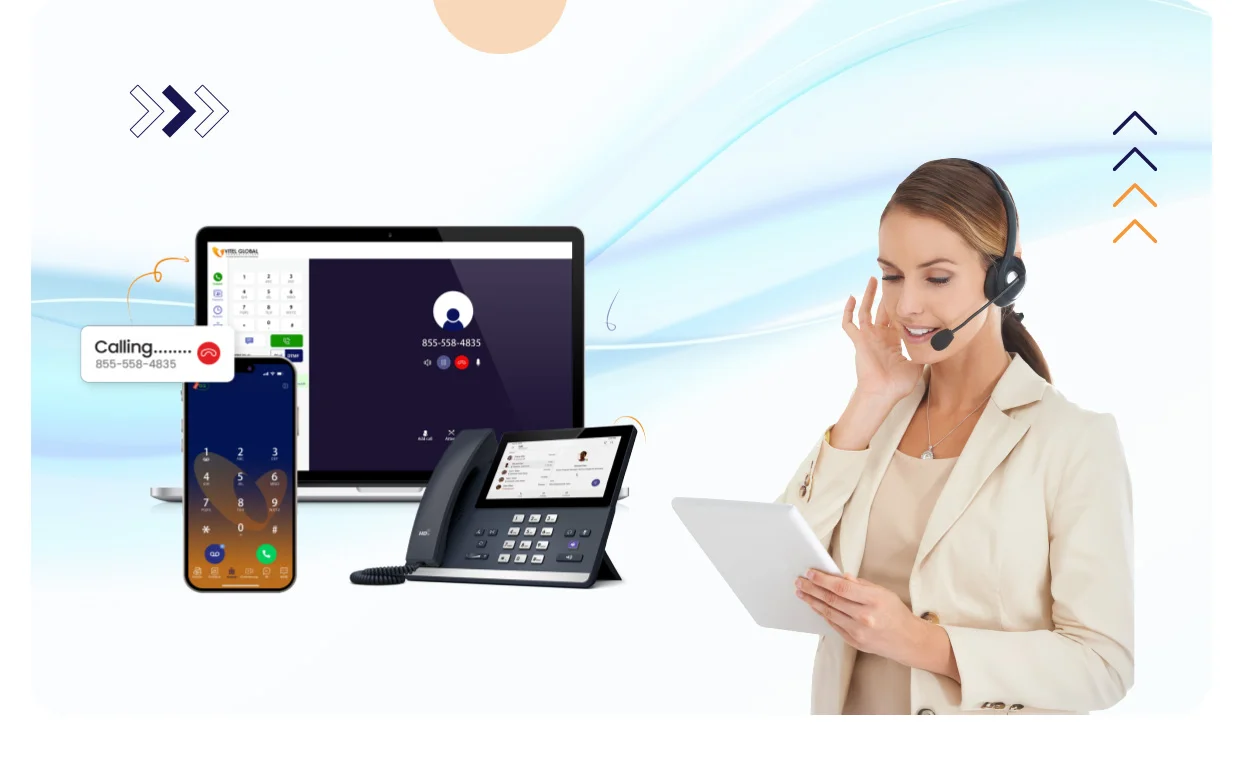
Top Calling Software for PC: Make Clear Calls from Your Computer

VOIP Calling Software for PC

8 min read

Reading Time: 8 minutes

Introduction to PC Calling

  • PC calling allows you to make and receive phone calls directly from your computer using a stable internet connection.
  • With the right calling software, you can enjoy unlimited calls, including international calls, and access advanced calling features like call recording and call forwarding.
  • PC calling is ideal for remote workers, small teams, and businesses looking to boost productivity and streamline communication.
  • You can make calls from your desktop computer using a variety of calling apps and software programs.

PC calling has become increasingly popular as more people work remotely or operate small businesses. It eliminates the need for traditional desk phones, providing flexibility and convenience. By leveraging internet-enabled devices, users can seamlessly switch between devices and maintain communication without interruption. This technology also supports multiple devices, allowing users to start calling on one device and continue on another without losing the connection.

Why Businesses Are Moving to PC Calling

Businesses are moving away from desk phones and traditional phone systems.
Remote work, global teams, and rising telecom costs are pushing companies to adopt PC calling software.

Companies switch to VoIP calling software to:

  • Reduce phone system costs
  • Enable remote teams
  • Make international calls easily
  • Centralize communication tools

See how businesses use cloud phone systems – Book a Demo

Problems With Traditional Phone Systems

Many businesses still rely on desk phones and mobile devices.

This creates problems:

  • Missed calls when teams work remotely
  • Expensive international calling charges
  • No call tracking or analytics
  • Hard to scale phone systems

Cloud calling software solves these issues.

Best Calling Software for PC (Business Use)

Businesses choose VoIP calling software based on reliability, features, and scalability. Here are the most common types of PC calling software used today:

1. Cloud Business Phone Systems

Best for companies that need call routing, analytics, and integrations.

2. Softphone Applications

Ideal for remote teams making calls from laptops and desktops.

3. VoIP Communication Platforms

Designed for teams that need voice, video, messaging, and integrations in one platform.

4. AI-Powered Calling Systems

Used by businesses that want automation, call routing, and lead capture.

Choosing the Right Calling Software

  • When selecting a calling software, consider factors like user-friendly interface, basic calling functionality, and advanced features like video conferencing and call routing.
  • Look for software that integrates with your existing CRM and provides toll-free numbers and virtual numbers.
  • Vitel Global offers scalable business phone systems with advanced features designed to meet the needs of both small teams and growing businesses.
  • Consider the cost and scalability of the software, as well as its compatibility with your desktop app and web app.

Choosing the best calling software for PC involves evaluating how well the software meets your specific needs. For instance, some applications offer extensive menu options that allow you to customize call handling and routing, which can be essential for business environments. Additionally, checking if the software supports calling mobile numbers and landlines ensures you can reach all your contacts. The software’s ability to work smoothly on your PC and other internet-enabled devices is crucial for a seamless experience.

Explore Vitel Global’s scalable business phone systems designed to grow with your company.

Making International Calls

  • With PC calling, you can make international calls to mobile phones and landlines using your internet connection.
  • Many calling software programs offer free or low-cost international calls, making it an affordable option for businesses and individuals.
  • You can also use VoIP calls to make international calls, which can be more cost-effective than traditional phone calls.
  • Look for software that provides high-quality audio and minimal latency for international calls.

International calls through PC calling software are becoming more accessible and affordable. Using Voice over Internet Protocol (VoIP), calls are transmitted digitally over the internet, which reduces costs significantly. Some providers even include unlimited calls to certain countries as part of their plans. Ensuring your PC works well with the calling software and has a stable internet connection is essential to maintaining call quality during international conversations.

Take advantage of Vitel Global’s competitive international calling rates and crystal-clear call quality. Upgrade your phone system now!

Why Businesses Choose VoIP Calling Software

Companies use cloud calling to:

  • Improve customer response time
  • Reduce telecom costs
  • Support hybrid teams
  • Scale communication easily

Advanced Calling Features

  • Advanced calling features like call recording, call forwarding, and call routing can enhance your PC calling experience.
  • Look for software that provides instant messaging, video conferencing, and screen sharing capabilities.
  • Some calling software programs also offer advanced features like outbound calling, inbound calling, and call handling features.
  • Consider the level of customization and control you need over your calling features.

Advanced features can transform your PC into a powerful communication hub. For example, call recording allows you to keep track of important conversations, while call forwarding ensures you never miss an important call even if you are away from your computer. Features like video conferencing and instant messaging complement voice calling, offering a complete communication solution. The presence of a phone icon or call button within the software’s user interface often makes it easy to start calling or access menu options quickly.

Integration with Other Tools

  • Integration with other tools like CRM, helpdesk, and web browsers is essential for a seamless PC calling experience.
  • Look for software that provides native integrations with popular tools and platforms.
  • Consider the level of accessibility and compatibility with your existing phone system and desktop app.
  • Integration with emergency services and VoIP providers can also be important considerations.

Integrating your calling software with other business tools can boost productivity by reducing the need to switch between multiple devices or platforms. For example, CRM integrations allow you to access customer information directly during calls, improving service quality. Browser-based calling apps can offer click-to-call features from web browsers, speeding up the process. Additionally, some software supports call routing to emergency services, though users should be aware of limitations compared to traditional phone lines.

Managing Recent Calls

  • Managing recent calls is an important aspect of PC calling, allowing you to keep track of incoming and outgoing calls.
  • Look for software that provides a user-friendly interface for managing recent calls, including call logs and call history.
  • You can also use phone link to manage recent calls and access call handling features.
  • Consider the level of customization and control you need over your call management features.

Managing recent calls efficiently helps you stay organized and respond promptly. The ability to view call history, missed calls, and voicemail in one place simplifies communication management. Some software offers synchronization with mobile phones via phone link, so recent calls appear both on your PC and mobile phone. Features like a search bar and filters help quickly locate specific calls or contacts.

Stay on top of your communication with Vitel Global’s intuitive call management features. Request your free demo and see how easy it is.

Setting Up Your Phone System

  • Setting up your phone system is easy with PC calling software, which often provides a simple and intuitive interface.
  • You can start making calls immediately after setting up your account and configuring your settings.
  • Look for software that provides a free trial or demo, allowing you to test the features and functionality before committing.
  • Consider the level of support and resources provided by the software provider.

Getting started with PC calling software typically involves creating an account and downloading a desktop app or accessing a web app. Many providers offer intuitive interfaces with clear call buttons and dial pads, allowing you to start calling quickly. Some software also features a phone icon that users can click to initiate calls or access menu options. Ensuring your PC works well with the software and has a stable internet connection is critical for a smooth setup process.

How Long Does It Take to Set Up PC Calling?

Many businesses assume switching phone systems is complex.

In reality, cloud phone systems can be set up in hours.

Typical setup includes:

  • Creating your account
  • Choosing phone numbers
  • Configuring call routing
  • Adding team members

Most companies start making calls the same day.

Business Calls and Productivity

  • PC calling can significantly boost productivity for businesses, allowing remote workers to make and receive calls from anywhere.
  • With advanced calling features and integration with other tools, businesses can streamline communication and enhance customer service.
  • Look for software that provides features like call recording, call forwarding, and call routing to enhance your business calls.
  • Consider the level of scalability and customization you need to support your business growth.

Using PC calling software in business environments enables teams to collaborate efficiently across multiple devices. Employees can receive phone calls on their desktop computer, mobile phone, or other internet-enabled devices without missing a beat. This flexibility supports remote work and helps maintain professional communication standards. Features like call routing and call forwarding ensure calls reach the right person or department, improving customer satisfaction and internal workflows.

Who Uses PC Calling Software?

  • Sales teams making outbound calls
  • Customer support teams handling inbound calls
  • Remote teams working globally
  • Service businesses managing appointments

How to Choose the Best Calling Software for Your Business

Ask these questions before choosing:

✔ Does it support remote teams?
✔ Can it integrate with CRM?
✔ Does it provide call analytics?
✔ Does it support international calling?
✔ Does it scale with business growth?

If you answered yes to most, a cloud phone system is the right choice.

Talk to a VoIP Expert

Why Businesses Are Switching to Cloud Phone Systems

Companies worldwide are replacing desk phones with VoIP calling software.

Reasons include:

  • Remote work adoption
  • Need for scalable communication
  • Lower telecom costs
  • Better customer experience

Businesses adopting cloud phone systems gain a competitive advantage.

How Businesses Save Money with PC Calling Software

Traditional phone systems require:

  • Hardware installation
  • Maintenance contracts
  • Expensive international calling
  • Limited scalability

Cloud phone systems remove these costs and offer predictable monthly pricing.

Many businesses reduce communication costs by switching to VoIP calling software.

How PC Calling Software Works in Real Businesses

Imagine a sales team making 100+ calls daily.

Without PC calling software:

  • Agents use personal phones
  • Calls are not recorded
  • Leads are not tracked
  • Managers cannot monitor performance

With a cloud phone system:

  • Agents call from their computers
  • Calls are recorded automatically
  • CRM shows caller details instantly
  • Managers track performance with analytics

This is why businesses move to VoIP calling software.

See how Vitel Global works – Book a Demo

Why Businesses Choose Vitel Global

Companies choose Vitel Global because it combines:

  • Business phone system
  • Virtual phone numbers
  • AI call assistant
  • CRM integrations
  • Call analytics and reporting

All in one cloud platform.

Conclusion

  • PC calling is a convenient and cost-effective way to make and receive phone calls from your computer.
  • With the right calling software, you can enjoy advanced calling features, integration with other tools, and enhanced productivity.
  • Consider factors like user-friendly interface, basic calling functionality, and advanced features when selecting a calling software.
  • Look for software that provides high-quality audio, minimal latency, and seamless integration with your existing phone system and desktop app.

Take the first step towards modernizing your business communication with Vitel Global.

Request your free demo now and experience the difference!

Frequently Asked Questions

1. What is calling software for PC?

Calling software for PC is a program that allows you to make and receive phone calls directly from your computer using an internet connection. It often includes features like call recording, call forwarding, and integration with other business tools.

2. Can I make free calls from my PC?

Some calling apps offer free calls, especially app-to-app calls. However, completely free calls to regular phone numbers are rare. Many providers offer free trials or limited free calling options.

3. How do I make a call from my PC?

After setting up your calling software, you can make a call by entering the phone number in the dial pad or search bar and clicking the call button or dial icon.

4. Can I receive incoming calls on my PC?

Yes, with the right calling software, you can receive incoming calls on your PC, just like on a mobile phone.

5. Do I need a stable internet connection to use PC calling?

Yes, a stable internet connection is essential for high-quality voice calling and to avoid call drops or poor audio.

6. Can I use my existing number with PC calling software?

Many service providers allow you to port your existing phone number to their platform, so you can make and receive calls using your current number.

7. What devices can I use to make computer calls?

You can use any internet-enabled device such as a Windows PC, Mac, laptop, or even tablets and smartphones with compatible calling software.

8. Are there advanced features available in PC calling software?

Yes, many apps offer advanced features like call recording, call routing, video conferencing, CRM integrations, and call forwarding.

9. Is WiFi call supported on PC calling software?

Many PC calling apps support WiFi calling, allowing calls over wireless internet connections without using cellular networks.

10. Can I send text messages from PC calling software?

Some calling software includes the ability to send and receive text messages, enhancing communication beyond voice calls.

11. How do I manage recent calls on my PC?

Most calling software provides a user-friendly interface to view and manage recent calls, including call logs and call history.

12. Are emergency services accessible via PC calling?

PC calling software is generally not a replacement for traditional phone services and may not reliably connect to emergency services. It’s important to use your mobile or landline for emergencies.

13. Can I make international calls from my PC?

Yes, many calling software providers offer the ability to make international calls at competitive rates using internet protocol technology.

Published: September 22nd, 2025