How to Dial an Extension on Any Phone (2026 Guide)
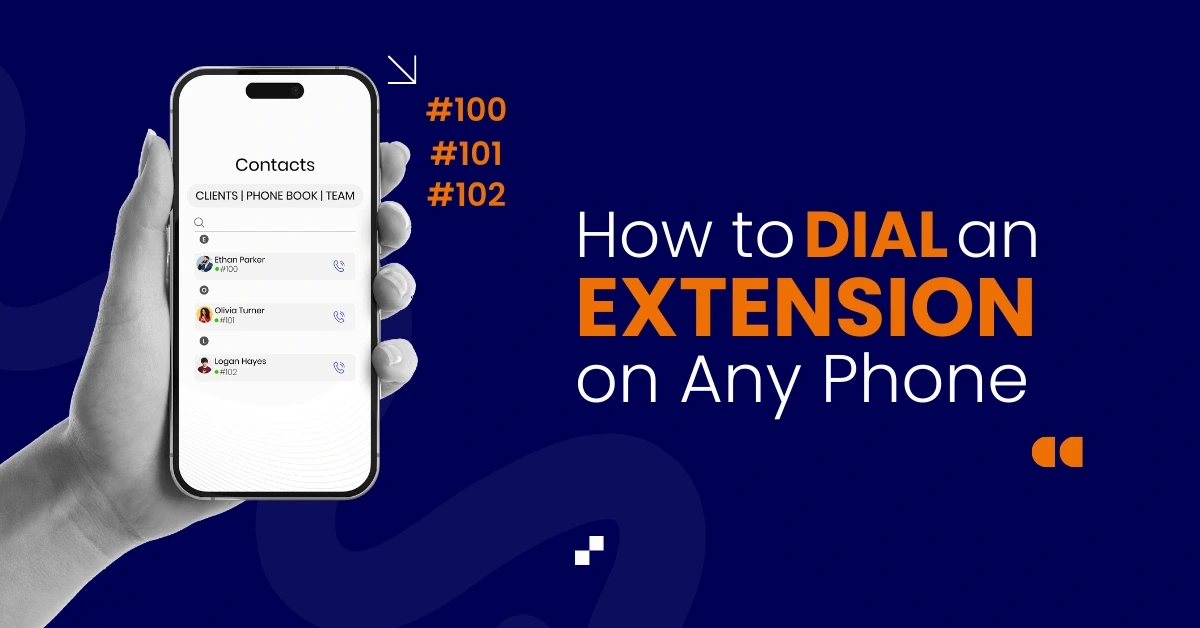

Table of Contents
Dialing an extension number helps you reach a specific person or department inside a business phone system without waiting for menu options. When you dial the main line, you can then enter the extension immediately to connect faster. This works across Android phones, iPhone devices, office phones, VoIP, smartphones, and landlines.
Extensions help route calls inside companies, improve customer experience, and reduce confusion for callers. Modern phone systems like Vitel Global support extension dialing, internal routing, caller transfer, employee extensions, voicemail, and cloud-based internal communication. This makes internal communication easier for remote workers, office staff, and customers.
Understanding how to dial an extension on any phone will help you save time, avoid repeated transfers, and reach the correct user without waiting.
What Is an Extension? (Simple Definition)
An extension is a short phone number used inside a business system to reach a specific department or employee. You first dial the main phone number, wait for the call to connect, and then dial the extension to avoid long menu options.
How to Dial an Extension on Any Phone
Dial the main phone number, wait for a connection, and enter the extension when prompted. On smartphones, insert a comma (,) or semicolon (;) after the number to dial the extension automatically without waiting for automated menu prompts.
Why Businesses Use Extensions
Extensions help companies:
- Route calls quickly to the correct employee
- Reduce long wait times for customers
- Avoid repeated call transfers and redials
- Improve caller satisfaction and speed
- Support staff communication and teamwork
- Connect remote teams and departments easily
Extensions are useful for offices, hotels, school buildings, hospitals, support teams, and corporate environments.
How to Dial an Extension on Landline Phones
Landlines make extension dialing easy:
- Dial the main phone number
- Wait for the call to connect
- Enter the extension digits after the connection
- You will reach the correct person immediately
This works across home phones, office phones, and internal desk phones.
How to Dial an Extension on iPhone
iPhones let you dial extensions using pause and wait commands:
- Open the phone app
- Enter the main number
- Tap “+ * #” and insert a comma
- Add the extension digits
- Tap Call
Helpful Tip
- A comma pauses before dialing the extension
- A semicolon waits for a voice prompt
Example: 800-555-1234,201
How to Dial an Extension on Android Phones
Android phones offer simple extension dialing:
- Open the phone app
- Enter the main number
- Tap menu → Add Wait or Add Pause
- Enter a comma or semicolon
- Add the extension digits
- Press Call
Android will dial the extension automatically based on the inserted command.
Dialing an Extension Automatically (Smartphones)
Smartphones allow automatic extension dialing:
- Enter the main number, then add a comma, then the extension
- Example: 123-456-7890,101
- The phone dials both numbers without waiting
If a phone system needs a voice prompt:
- Use a semicolon instead of a comma
- Example: 123-456-7890;101
- The phone waits until you press a key to send the extension
Tips
- Pause using a comma for simple extension dialing
- A semicolon helps when a menu prompt is required
- Save extensions inside mobile contact records
- Tap call when the entire number is ready
How to Save Extensions in Contacts
Saving extensions improves speed:
- Open Contacts
- Tap Create Contact
- Type the base number
- Add a comma or semicolon
- Enter the extension digits
- Save the contact
Now your phone will dial both numbers automatically.
Contact Format Example
- 800-222- xxxx,102 or
- 800-222-xxxx;102
Calling Extensions Inside Office Phone Systems
Inside internal office networks, you can:
- Dial the extension digits directly
- No base number needed
- Faster routing without waiting
- Smooth communication between employees
This works in hotels, multi-floor buildings, hospitals, corporate departments, and school offices.
Why Extensions Improve Business Communication
Extension dialing improves:
- Faster routing between staff and departments
- Shorter wait time for callers and customers
- Real-time switching and instant connection
- Lower call transfers, voicemail, or confusion
- Reliable communication between the office and remote teams
- Cleaner teamwork with cloud and VoIP systems
Extensions help employees save time and communicate without repeated prompts.
How Extensions Work With Automated Systems
When calling a company:
- Dial the main phone number
- Listen to the automated menu
- Enter the extension directly
- Connect to the right department or employee
Caller Benefits
- Faster connection without waiting
- Reduced menu time during peak hours
- Easy routing across internal phone systems
How Extensions Help Remote and Hybrid Teams
Remote and hybrid teams depend on mobile phones and browser dialers to stay connected. Extensions make internal calling fast and easy. Employees can reach another team member using short extension digits instead of a full number.
Extensions support shared workspaces, remote support desks, and mobile field teams. Users can transfer calls, forward callers, or reach internal experts during live conversations without confusion. This improves coordination and response time.
Team Benefits
- Faster internal calling between remote employees
- Reduced confusion and fewer repeated transfers
- Instant routing from customer calls to staff
- Clean communication from browser or mobile apps
- Simple call switching during busy work hours
Extensions work well for hybrid support teams, distributed offices, and growing companies.
Extensions Make Customer Support More Productive
Extension dialing helps customer support teams handle calls faster. Instead of asking callers to repeat information or wait in long menus, support agents can reach the correct person instantly. This reduces stress for both callers and company teams.
Extensions also support call transfer, which means a support agent can move a caller to a billing team, technical team, or delivery center without disconnecting the call. The caller does not need to dial again or repeat details. This creates a better support experience.
Support teams can also use extensions with remote agents. With extensions, every agent has a unique internal number. Support managers can track calls, assign workloads, and ensure customers reach the correct person faster.
Businesses using Vitel Global’s cloud phone system can manage caller routing, call status, extensions, and internal switching across devices. This keeps support teams organized and productive during busy hours.
Support Benefits
- Faster routing improves customer service
- Lower call transfers and repeated messages
- Real-time switching for urgent calls and escalations
- Easy routing to remote teams or internal departments
- Better caller experience and agent productivity
Extensions improve response time, reduce confusion, and keep communication predictable.

How Vitel Global Helps With Extensions
Vitel Global makes extension dialing simple for teams, departments, and remote workers. Companies can:
- Create extensions for multiple employees
- Assign extensions to users and departments
- Auto-route calls with internal transfers
- Improve caller speed and employee productivity
- Use extensions on mobile, browser, or desk phones
- Reduce waiting, redials, or voicemail delays
Vitel Global helps businesses manage internal communication without complex hardware or heavy manual setup.
Tools That Support Extension Dialing
Vitel Global Call Management System
- Unified cloud dashboard for routing internal calls
- Assign extensions to multiple users with ease
- Automated routing between departments and employees
- CRM context for caller and internal contacts
- Unlimited extension dialing for large organizations
Vitel Global lets companies dial, transfer, and switch using extensions from smartphones, SIP phones, desk phones, and browser dialers.
Conclusion
Dialing an extension helps callers reach the correct staff member without repeated transfers or long menus. You can dial extensions across Android phones, iPhones, landlines, VoIP phones, or internal office systems.
Vitel Global’s cloud phone platform makes it simple to create extensions, assign employees, route calls, and manage internal caller flow across multiple devices. Extensions improve teamwork, caller accuracy, and overall communication for companies of every size.
Improve Call Routing & Extensions
Make extension dialing easier with Vitel Global’s cloud phone system, employee extensions, caller routing, multi-device access, and fast internal communication.
FAQs
1. How to dial an extension on any phone?
Dial the main number, wait for the call to connect, and enter the extension digits. On smartphones, add a comma or semicolon after the number to dial the extension automatically without waiting for an automated menu or additional prompts.
2. What is an extension number used for?
An extension number helps callers reach a specific employee or department inside a company without long menu navigation. Businesses can assign extensions, route calls, and reduce transfers. Vitel Global improves extension dialing for teams, customers, and remote workers using cloud phone systems.
3. Can I save a number with an extension in contacts?
Yes. Type the main phone number, add a comma or semicolon, and enter the extension digits. When calling, the phone will dial the main number first and then send the extension automatically, making daily business communication simple and fast.
4. How do I dial an extension from inside an office system?
If you are already connected to the company’s internal phone system, you can dial the extension digits directly without entering the main number. Desk phones, VoIP phones, and internal office systems route calls instantly between employees for faster communication.
5. Why do businesses prefer extensions?
Businesses prefer extensions because they reduce wait times, avoid long call transfers, and let customers reach the correct person faster. Extensions support internal communication, remote users, and desk phones. Vitel Global manages extensions across departments and devices using cloud routing.
Published: December 11th, 2025
Subscribe to Our Latest Updates
Get monthly product and feature updates, the latest industry news, and more!