Why Your Text Message Didn’t Get Delivered (And How to Fix It)
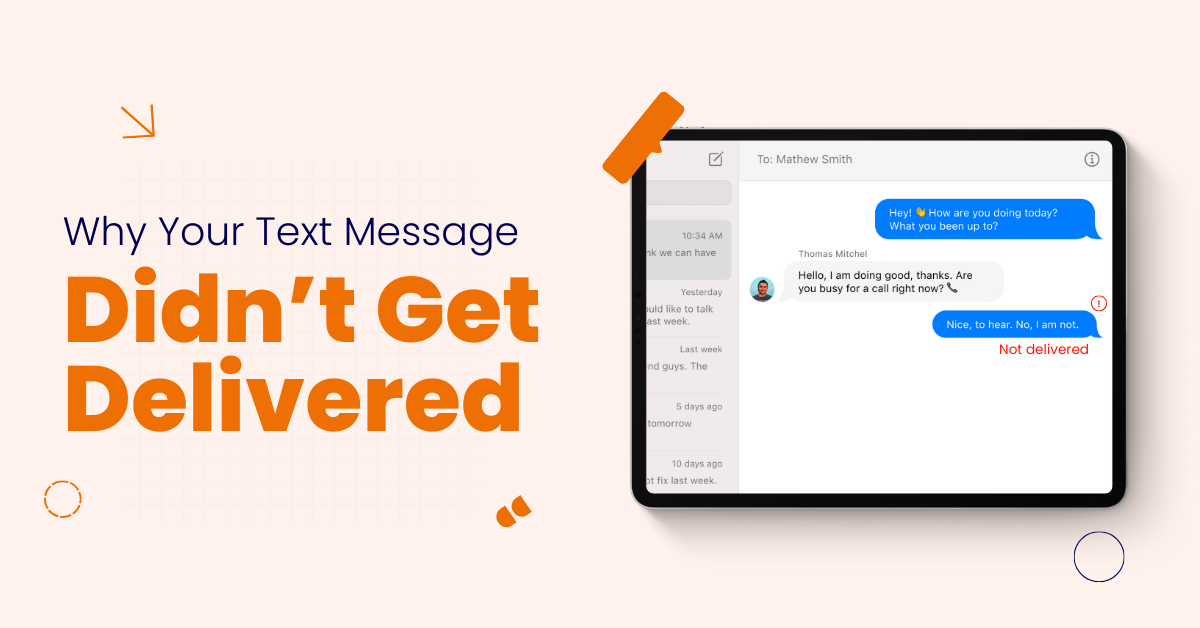

Table of Contents
Sending a text message should feel instant. You type the message. You tap send. The message should reach the recipient quickly.
But that does not always happen.
Many users see “text message not sent.” Others wait for delivery reports that never arrive. Business owners worry when customers stop responding. Message delivery problems break trust and delay communication.
At Vitel Global, we help businesses and individuals fix messaging problems at scale. When SMS delivery fails, there is always a reason. Most issues are technical. Many are preventable.
This guide explains why your text message didn’t get delivered, why your text messages are not sending, and how to fix text message not sent errors across devices, carriers, and messaging services.
What Does “Text Message Not Delivered” Mean?
A text message not delivered means the message never reached the recipient’s phone.
The failure can happen at different stages. The message may stop on your device. It may fail at the mobile carrier. It may be blocked before reaching the recipient’s device.
Delivery failure does not always mean the recipient blocked you.
Common Signs of Message Delivery Failure
Message failures show clear warning signs.
- The message shows a text message not sent error repeatedly
- Delivery reports never appear after sending messages
- The recipient says they never receive SMS messages
- Messages fail only for specific phone numbers
- Messages stay pending without a successful delivery confirmation
Why Are My Text Messages Not Sending?
There is never one single cause.
SMS delivery depends on your phone, network connection, mobile carrier, and recipient device working together.
Common causes include:
- Network issues affecting mobile device messages transmission
- Incorrect phone number or wrong country code entered
- Carrier filtering messages flagged as SMS spam
- The recipient blocked the sender’s number intentionally or accidentally
- Messaging app malfunction or incorrect default messaging app
1. Network Connection Problems on Your Phone
Network problems cause many failed messages.
SMS messages need network coverage. Without a signal, messages cannot leave your phone.
This happens when:
- Network coverage is weak or unavailable temporarily
- Phone switches between towers during message sending
- Network problems affect SMS traffic in your area
- Mobile device loses connection unexpectedly
Always check signal strength before deeper troubleshooting.
2. Airplane Mode and Device Settings
Airplane mode disables all connections.
Many users enable it accidentally.
If airplane mode is active, sending messages fails immediately. Turn it off. Wait for the network connection. Try sending again.
3. Mobile Carrier Network Outages
Sometimes the issue is outside your control.
Mobile carriers experience outages. During outages, SMS delivery may slow or stop.
Signs include:
- Messages are failing for many recipients simultaneously
- Calls are also failing or dropping unexpectedly
- Internet works, but SMS messages fail
- Other users report similar network issues
Contact your service provider if problems persist.
4. Wrong Phone Number or Incorrect Country Code
One wrong digit breaks delivery.
Always verify:
- Correct phone number entered
- Proper country code included for international messages
- No extra spaces or missing digits
- Recipient’s number is still active
An incorrect country code is a common failure cause.
5. Recipient’s Phone Is Turned Off
If the recipient’s phone is off, delivery pauses.
Carriers retry delivery for a limited time. If the phone stays unreachable, messages expire and fail permanently.
6. Recipient Temporarily Unreachable
The recipient’s device may be unreachable.
This happens due to:
- No network coverage on the recipient’s phone
- SIM card issues on the recipient’s device
- Roaming restrictions or network problems
- Temporary technical difficulties on the carrier network
Messages resume once connectivity returns.
7. Recipient Blocked Your Number
Blocked messages fail silently.
When a recipient blocks your phone number, messages do not deliver. You usually receive no error or warning.
This applies to both Android and iPhone users.
8. Carrier Filtering and Spam Prevention
Mobile carriers actively filter messages.
They block messages that look suspicious, harmful, or spam-like.
Messages may fail due to:
- Certain keywords trigger spam filter rules
- Suspicious links suggesting a phishing attempt
- High volume messaging from a single sender ID
- Identical messages sent to many recipients
Carrier filtering protects users but blocks legitimate messages sometimes.
9. Message Content Causing Delivery Failures
Message content matters more than users expect.
SMS providers scan message text.
Triggers include:
- Shortened or unknown links
- Financial or urgent language patterns
- Repeated identical messages are sent quickly
- Promotional text without opt-in
Even normal messages can be blocked accidentally.
10. Sending Too Many Messages Too Quickly
Volume limits exist for SMS.
Sending too many messages in a short time triggers blocking.
This affects:
- High-volume messaging systems
- SMS campaigns for business communication
- Application to person messaging platforms
- New users without a messaging history
Carriers throttle SMS traffic to prevent abuse.
11. Messaging App and Default App Issues
Your messaging app may cause failures.
If the default messaging app crashes or misbehaves, messages fail.
Try these steps:
- Restart the messaging app and the mobile device
- Update the messaging app to the latest version
- Clear app cache and temporary data
- Change the default messaging app temporarily
- Retry sending messages after a restart
12. RCS Messaging Versus SMS Problems
RCS messaging relies on an internet connection.
If the internet fails, RCS messages may not fall back to SMS. This causes delivery failure.
Disable RCS temporarily to test SMS delivery.
13. MMS Messages Failing Instead of SMS
MMS messages need mobile data.
Images, videos, and group messages use MMS.
If the data is off, MMS messages fail even when SMS works.
14. SIM Card Problems
SIM card issues disrupt messaging.
Problems include:
- Damaged or improperly inserted SIM card
- The old SIM card needs replacement
- Carrier provisioning issues affecting the messaging service
- SIM card not registered correctly on the network
Reinsert or replace the SIM if needed.

15. Phone Operating System Issues
Outdated operating systems cause bugs.
System updates sometimes break messaging temporarily.
Always keep your phone’s operating system updated.
16. Delivery Reports Not Appearing
Delivery reports are not guaranteed.
Some carriers disable them. Others support them partially.
Missing delivery reports do not always mean undelivered messages.
17. Business Messaging and SMS Campaign Failures
Business owners face stricter controls.
Carriers monitor business SMS traffic closely.
Common causes include:
- Carrier filtering blocking promotional message content
- Volume limits exceeded during SMS campaigns
- Invalid numbers included in recipient lists
- Incorrect sender ID or SMS provider setup
- Missing opt-in compliance is causing blocking
Professional platforms reduce these risks.
How Vitel Helps Prevent Message Delivery Failures
At Vitel Global, we specialize in reliable messaging.
We help businesses avoid common delivery problems.
Our solutions help:
- Improve SMS delivery across mobile carriers consistently
- Reduce carrier filtering through compliant routing methods
- Manage volume limits for high traffic messaging
- Monitor delivery reports and failed messages
- Support business communication without interruptions
How to Fix Text Message Delivery Problems
Follow these steps in order.
- Check network connection and airplane mode status
- Verify phone number and correct country code
- Restart the phone and the messaging app completely
- Review message content for spam triggers
- Contact the service provider if the problem persists
Most problems resolve quickly.
Preventing Message Failures in the Future
Prevention saves time and trust.
- Avoid suspicious links and spam-like language patterns
- Do not send identical messages repeatedly
- Respect volume limits for SMS traffic
- Keep contact lists clean and updated
- Use a trusted SMS provider for business messaging
Fix Message Delivery Issues With Vitel
Ensure reliable SMS delivery for business communication by preventing carrier filtering, message failures, network issues, and spam blocking problems.
- Improve SMS delivery rates across mobile carriers and recipient networks
- Reduce message failures caused by carrier filtering and spam detection
- Ensure messages reach intended recipients without technical delivery problems
- Support high-volume messaging while respecting carrier-imposed volume limits
- Monitor delivery reports to troubleshoot undelivered messages efficiently
Final Thoughts: Make Messages Reach With Confidence
When messages fail, the problem is usually technical. It is rarely personal.
Understanding why your text message didn’t get delivered helps you fix issues faster. It also helps you prevent future message failures.
At Vitel, we help businesses and individuals ensure messages reach the right people reliably. If message delivery matters to you, Vitel is ready to help.
Ready to solve your text message delivery issues?
Contact Vitel today to get expert support and ensure your messages reach every recipient reliably.
Frequently Asked Questions
1. Why are my text messages not sending?
Text messages may not send due to network issues, airplane mode, carrier outages, blocked numbers, or filtered content. Check signal strength, confirm phone number accuracy, restart your device, and verify your mobile carrier is not experiencing technical difficulties.
2. Why did your text message not get delivered, even with a signal?
Even with a signal, messages may fail due to the recipient blocking, carrier filtering, spam detection, incorrect country code, or messaging app issues. RCS settings, SIM card problems, or carrier rules can also prevent successful delivery despite good network coverage.
3. Can the recipient’s phone cause message delivery failure?
Yes. If the recipient’s phone is turned off, unreachable, blocked your number, or experiencing network problems, messages may not be delivered. The recipient’s carrier may also filter messages before they reach the intended recipient’s device.
4. Do messaging apps affect SMS delivery?
Yes. A faulty default messaging app, an outdated application version, or incorrect settings can prevent sending messages. Restarting the app, clearing cache, updating the app, or switching messaging apps often resolves delivery issues quickly.
5. Why do business SMS messages fail more often?
Business SMS messages face stricter carrier filtering to prevent spam and phishing. High volume messaging, identical messages, suspicious keywords, incorrect sender ID, or poor compliance can cause failures. Using a compliant SMS provider like Vitel improves delivery rates.
Published: December 18th, 2025
Subscribe to Our Latest Updates
Get monthly product and feature updates, the latest industry news, and more!