What Is Call Waiting and How to Activate It? (2026 Guide)
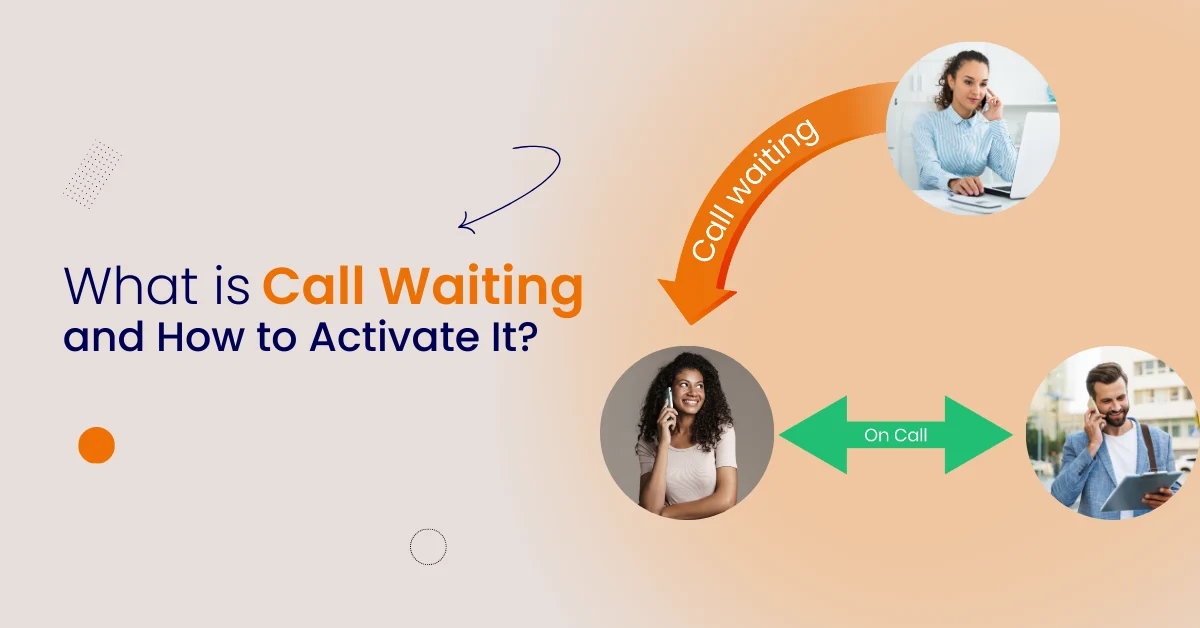

Table of Contents
Call waiting is a phone feature that helps you manage multiple calls without missing conversations. When a second call comes in during an ongoing call, you receive a short beep tone instead of a busy tone. This lets you answer, place a call on hold, switch between callers, reject, or send the call to voicemail.
The call waiting feature is built into smartphones, Android phones, iPhone devices, and modern VoIP systems. It helps you handle two calls, or even more, without disconnecting your first call.
Businesses use call waiting to manage customer calls, sales calls, support calls, and internal conversations. It avoids missed calls, improves service quality, and protects every important call.
Cloud phone systems, like Vitel Global, offer smart call waiting, caller ID, agent switching, automatic routing, multi-device access, and AI-assisted call management. These tools help teams answer calls faster, switch smoothly, and avoid dropped calls.
What Is Call Waiting and How to Activate It?
Call waiting lets you answer another incoming call while already on the phone. You hear a short beep tone, accept or reject the waiting call, or switch between two calls without disconnecting. You can activate call waiting from your phone settings.
How Call Waiting Helps You
Call waiting makes communication simple and fast:
- Avoid missed calls during busy hours
- Manage two calls from one number
- Switch between callers instantly
- Keep a caller on hold for a moment
- Answer urgent calls without hanging up
- Stay notified with tone alerts
People use call waiting for work, customer service, school, and personal life. It helps when you expect an important call, but you are already using your phone.
When you manage multiple calls, you do not need to disconnect your current call. You keep conversations running while switching with a single tap.

Where Call Waiting Works
The waiting feature works across:
- Android phones and iPhones
- Landline systems and internet phones
- Business VoIP phone systems
- Dual SIM devices and call center dashboards
- Tablet dialers, browser dialers, and mobile apps
Many service providers support call waiting automatically. If not, you can ask them to enable it.
How to Activate Call Waiting on Android Phones
Android supports call waiting from the phone app:
- Open the phone app on the home screen
- Tap the menu → Settings
- Open Calls or Additional Settings
- Find the Call Waiting feature
- Tap to activate call waiting
You will now hear a beep tone for each incoming call.
Android Tips
- Caller ID helps identify a second caller
- Keep your apps updated for the best function
- Some service providers may limit supplementary services
Android lets you manage multiple calls with simple screen controls. You can hold, switch, reject, or send a message without stress.
How to Activate Call Waiting on iPhone
iPhone users can enable call waiting from the settings app:
- Open Settings
- Tap Phone
- Tap Call Waiting
- Toggle ON to enable
You will now receive tone alerts for every waiting call.
iPhone Tips
- Keep iOS updated
- If call waiting fails, ask your carrier
- Your account must support supplementary voice services
The same steps apply to most iPhone models and dual SIM phones.
How Call Waiting Works During a Call
When a new caller tries to reach you during an ongoing call, the system notifies you with a beep. You can:
- Accept the waiting call
- Reject the waiting call
- Place your current call on hold
- Switch between the callers
- Send the caller to voicemail
You do not need to hang up. The system manages everything automatically.
The caller on hold hears music or silence, depending on your service provider.
How Call Waiting Helps With Business Calls
Businesses manage multiple calls every day. Without call waiting:
- Customers may receive a busy tone
- Teams miss calls and lose leads
- Remote employees cannot manage call volume
- Support lines get overloaded
With call waiting:
- Service teams answer more calls
- Sales teams avoid lost customers
- Agents stay productive without dropping calls
- VoIP dashboards show caller names and call duration
The feature saves time, supports customer trust, and reduces follow-up work.
Call Waiting in Remote and Hybrid Work
Remote and hybrid teams often handle customer calls, partner calls, and internal meetings from different locations. Call waiting helps agents manage multiple calls without disconnecting or losing customers. When a second caller reaches the same line, agents receive a tone alert and can switch instantly.
This feature supports customer support, sales calls, technical service, and team coordination across time zones. Agents can manage calls from a laptop, tablet, or mobile phone and still switch between callers with a single tap. Businesses avoid angry customers, long redials, or repeated voicemail messages.
How Remote Teams Benefit
- Answer urgent calls without dropping conversations
- Switch between callers with a single tap
- Keep customers on hold and informed
- Reduce missed calls during travel or field work
- Keep communication smooth during busy hours
Call waiting also supports call center agents working from home. Teams can use one number and still handle multiple calls at the same time. This improves the caller experience and ensures no important call is missed.
Call Waiting Reduces Customer Follow-Ups
Without call waiting, customers often hear a busy tone or voicemail message. This forces them to make multiple follow-up calls, send messages, or wait longer than expected. Busy lines increase stress for both customers and teams.
With call waiting, a caller stays connected and knows their call will be handled soon. An agent can switch to respond, put one caller on hold, and return to the first call naturally. This reduces voicemail, long queues, and repeated follow-ups.

Benefits for Customer Experience
- Less frustration when lines are busy
- Real-time communication and quick switching
- Higher satisfaction and faster response time
- Fewer messages and repeat calls
- Improved trust and long-term loyalty
Call waiting provides a smooth, predictable experience even during peak business hours. Instead of a busy tone, callers receive attention, updates, and a clear plan.
Call Waiting vs Voicemail
Call waiting alerts you to a waiting call during a conversation. Voicemail stores messages when you cannot answer.
Difference
- Call waiting = answer now
- Voicemail = answer later
Businesses prefer waiting because customers do not like delayed voice responses.
Call Waiting vs Call Forwarding
Call forwarding sends calls to another device or user. Call waiting handles two calls on the same line.
Summary
- Forwarding = move calls elsewhere
- Waiting = managing two calls on one number
Many systems use both features to manage heavy call traffic.
Call Waiting vs Conference Calling
Conference calling joins many callers in a single conversation. Call waiting handles callers separately.
Difference
- Conference = talk together
- Waiting = switch between calls
Call waiting keeps private conversations separate and controlled.
Troubleshooting Call Waiting
If call waiting does not work, note:
- Your service provider may have disabled waiting
- Your SIM plan may not support supplementary services
- Your phone app may need permissions
- Older phones may not support caller ID switching
In this case:
- Contact your provider
- Check your plan
- Restart your phone
- Update or reinstall the phone app
Some carriers can activate call waiting remotely from their system.
Vitel Global AI Call Management
Vitel Global supports smart call waiting with:
- Multi-device access and switching
- Caller ID on web and mobile
- Waiting for notifications and real-time tone alerts
- Handle unlimited calls without losing messages
- Hold music and routing for the call on hold
- Automatic call queues for busy teams
Vitel Global also uses AI to detect urgent calls, assign routing, and ensure no customers are missed.
Tools That Help With Call Waiting
Vitel Global offers a complete call management system that supports call waiting, caller control, device switching, and smart routing for business communication.
Vitel Global – Best Call Waiting Platform
- Unified dashboard for calls and switching
- Call queues and live caller information
- Mobile, browser, and SIP phone access
- CRM integration for contact context
- AI-assisted routing and switching
- Hold music and waiting notifications
- Unlimited call handling with high reliability
Vitel Global allows teams to manage multiple calls, place callers on hold, switch instantly, transfer calls, and maintain clear communication across devices such as laptops, IP phones, and mobile apps. It improves speed, caller satisfaction, and service quality without losing conversations.
Conclusion
Call waiting is a helpful feature that allows users to manage two calls, avoid a busy tone, and answer urgent calls without dropping the first call. It supports customer satisfaction, smooth routing, and stress-free multitasking.
Vitel Global’s cloud communication platform enhances call waiting with caller ID, AI routing, multi-device access, and call queue management. This helps teams answer more calls, avoid customer delays, and maintain strong service quality.
Call waiting remains important for personal and business communication. Whether you use Android, iPhone, VoIP, or dual SIM devices, the feature helps you stay connected, notified, and productive.
Improve Call Handling & Communication
Enhance switching, routing, and customer response with cloud call waiting, caller ID, multi-device access, and AI-powered call management through Vitel Global.
FAQs
1. What is call waiting, and how to activate it?
Call waiting is a phone feature that alerts you to a second incoming call during a conversation. You can switch, reject, or answer without disconnecting. You can activate call waiting from the phone settings app on Android and iPhone.
2. Why is the call waiting feature useful?
Call waiting prevents missed calls, busy tone issues, and delayed voice messages. Users can manage multiple calls, keep customers informed, and switch smoothly by tapping on-screen controls. Vitel Global makes this easier for business teams and remote workers.
3. How do I activate call waiting on Android?
Open the phone app, tap settings, go to calls, select additional settings, and enable call waiting. If waiting does not work, contact your service provider. Some carriers require plan-level access or supplementary voice features before activation.
4. Can call waiting work with voicemail?
Yes. If a call arrives during an ongoing call, you can accept, reject, or send the waiting call to voicemail. This helps manage urgent calls based on priority and timing without losing important conversations.
5. Why do businesses prefer call waiting?
Businesses prefer call waiting because they speak to customers without losing important calls. Agents can answer another call, keep one caller on hold, or switch instantly. Vitel Global helps teams handle unlimited calls with fast switching and AI routing.
Published: December 23rd, 2025
Subscribe to Our Latest Updates
Get monthly product and feature updates, the latest industry news, and more!