Video Meeting vs Audio Call: Choosing the Right Business Communication Channel
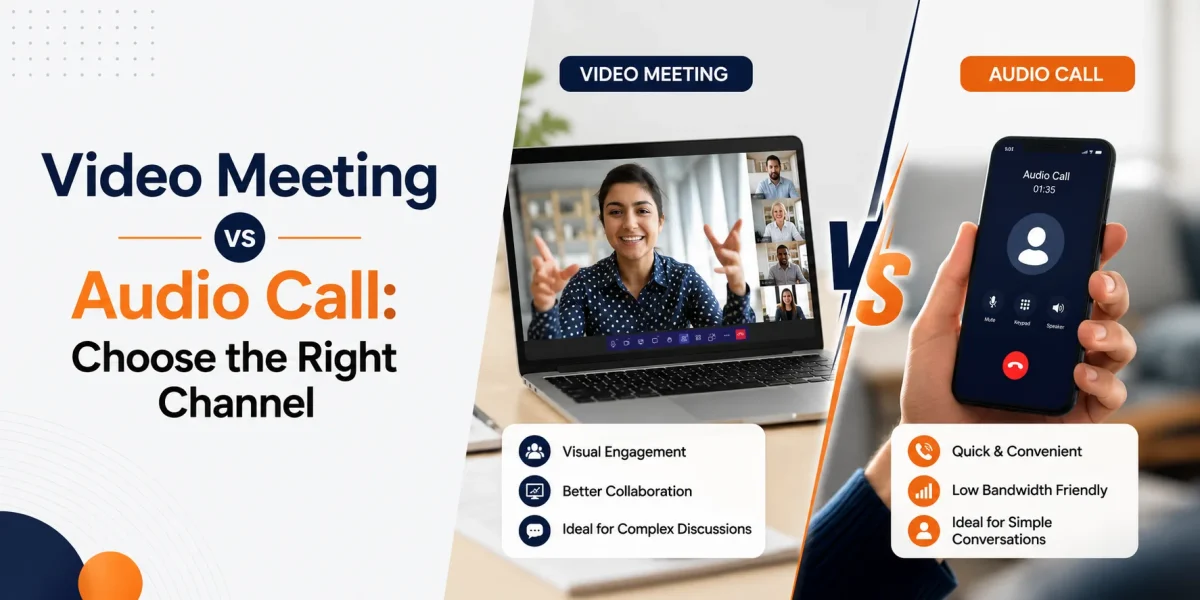

Table of Contents
Every business conversation has its own context and purpose. Accordingly, some need the speed and simplicity of an audio call, while others require the clarity and context of a video meeting. And then there are the conversations that start with a phone call, continue through SMS, and wrap up with a meeting summary or CRM update.
That’s why the video meeting vs audio call decision isn’t a one-size-fits-all rule. When evaluating video conferencing vs audio calls, businesses should consider the purpose of the conversation, customer preferences, collaboration needs, and the desired outcome. Audio makes sense for quick chats, appointment confirmations, customer support calls, sales follow-ups, and mobile communication. On the other hand, video is better suited for demos, training sessions, onboarding, screen sharing, complex discussions, and relationship-building team meetings.
Vitel Global helps businesses manage both audio and video through a single, unified communications platform that brings together cloud VoIP, cloud PBX, business phone service, video meetings, team messaging, business SMS, call routing, AI call handling, meeting summaries, conversation insights, and workflow automation.
What is Audio Conferencing?
Audio conferencing is a good old-fashioned voice-only business conversation between two or more people, whether that’s taking place through a business phone system, VoIP platform, desktop app, mobile app, conference bridge, or cloud PBX.
Audio calls are quick, easy to join, and don’t require customers to shoot off a link, turn on a camera, or wait for a scheduled session. For a lot of business conversations, voice is all you need.
Audio conferencing is great for:
- Customer support calls\
- Appointment confirmations\
- Sales follow-ups\
- Internal approvals\
- Vendor coordination\
- Candidate screening\
- Dispatch updates\
- Urgent escalations
For businesses that handle a high volume of customer conversations every day, audio conferencing remains one of the most effective business communication tools for fast and efficient interactions.
When Should a Business Use Audio Calls?
Use audio calls when speed and simplicity matter more than visual context.
A dental clinic might need to confirm an appointment with a patient, or a staffing agency might need to screen a candidate. A real estate office might need to confirm a showing, or a support team might need to resolve a customer issue speedily. In all these cases, a quick phone call is often faster and more practical than scheduling a video meeting.
Audio is also useful when customers are on the move, dealing with low bandwidth, or using mobile devices – it reduces friction and lets teams respond without forcing the customer into a heavier communication format.
With Vitel Global, audio conversations can be connected with call routing, business SMS, AI call handling, call summaries, analytics, and workflow follow-ups, so the call doesn’t wrap up as a solo conversation.
When Audio Alone Won’t Cut It
Audio calls are fast, but they’re not always the best choice.
A voice-only conversation might not be the best option when a team needs to review a dashboard, explain a proposal, walk someone through a software screen, train employees, or show a visual process. Tone can also get lost when the topic is complex or sensitive.
Audio may not be enough for:
- Product demos
- Client onboarding
- Proposal walkthroughs
- Technical troubleshooting
- Training sessions
- Strategic planning
- Design or document review
- High-value customer consultations
In these situations, video helps teams get more context.
What Is a Video Meeting?
A video meeting is a real-time online get-together where participants use their cameras, microphones, screen sharing, chat, and collaboration tools to communicate face-to-face.
Video meetings help people see each other’s faces, share screens, explain workflows, review documents, and discuss ideas with more context. They’re especially useful when the conversation needs trust, clarity, or a detailed explanation. As one of today’s most widely adopted business communication tools, video meetings help teams collaborate more effectively across locations and departments.
Some of the biggest video conferencing benefits include better visual understanding, stronger engagement, easier training, clearer demos, and improved collaboration for remote or hybrid teams.
When Should a Business Use Video Meetings?
Use video meetings when visual context makes a real difference.
Sales teams can use video to show off a product, explain pricing, walk through a proposal, and answer buyer questions. IT teams can use video for system training and troubleshooting. Operations teams can use video to review workflows across locations. Healthcare clinics, dental offices, legal firms, financial service providers, and professional service teams can use video for consultative conversations where trust and clarity are key.
A simple rule works: choose video when the person, screen, document, or process needs to be seen.
When Video May Not Be the Right Choice
Video is great, but it’s not the only option.
Too many video meetings can slow teams down, create fatigue, and make simple conversations feel like a heavier commitment than they need to be. Video also requires a decent internet connection, device readiness, camera comfort, and calendar availability.
Video may not be the best choice for:
- Quick confirmations
- Simple check-ins
- Routine updates
- Administrative tasks* Basic support queries
- “Must call back” urgent callbacks
- Short sales follow-ups to keep the lead warm
- Conversations on-the-go via mobile
- Low-bandwidth situations where video isn’t practical
- Simple internal updates for the team
If a five-minute call can solve the issue, then a video call is probably a step too far.
Video Meeting vs Audio Call: Quick Scorecard
| Factor | Audio Call | Video Meeting |
| Best for | Quick updates, support, confirmations | Demos, training, onboarding, planning |
| Setup effort | Low | Medium to high |
| Bandwidth need | Lower | Higher |
| Visual context | Limited | Strong |
| Speed | Faster | Slower to arrange |
| Customer friction | Lower | Higher |
| Best outcome | Fast response | Clearer explanation |
Besides, the right format depends on the customer, the team, and the action needed after the conversation.
The Vitel Global View: Bringing it all together
The biggest problem here isn’t “video or audio”. It’s that all these different channels aren’t connected.
Lots of businesses use different business communication tools for phone calls, video meetings, SMS, team messaging, CRM management, and reporting. And that’s when things start to fall over.
Sales notes get lost, support teams repeat questions, and missed calls don’t ever get followed up on. Meeting decisions get lost in someone’s notebook.
Vitel Global helps businesses plug that gap by bringing voice, video meetings, team messaging, business SMS, call routing, AI call handling, meeting summaries, call analytics, and conversation insights all into one place.
This helps teams choose the right channel for the job and keeps the customer journey all in one place.
Use the Right Channel at the Right Time
| Customer Stage | Best Channel |
| First inquiry | Phone call, SMS, AI receptionist |
| Qualification | Audio call |
| Product or service explanation | Video meeting |
| Appointment confirmation | Audio call or SMS |
| Complex support | Audio first, video if needed |
| Follow-up | Phone call, SMS, or email |
| Internal review | Video for planning, audio for quick updates |
This approach works well for small and mid-sized businesses, multi-location teams, appointment-based businesses, sales-led teams, and support-heavy teams.
This all works pretty well for small and mid-sized businesses, companies with multiple locations, appointment-based businesses, sales teams, and businesses with lots of support needs.
How Vitel Global Helps Before, During, and After Conversations
Before a call, we can help route those callers, handle the routine stuff, support AI- powered call handling and stop missing opportunities slipping through your fingers.
When you are on the call, our cloud VoIP, video meetings, business SMS, team messaging, mobile apps, and desktop apps make it all work – taking the right channel for the job.
After the call, AI call summaries, meeting summaries, transcripts, topics, sentiment analysis, action items, analytics and workflow automation all help teams see what happened and what needs to happen next.
That’s where business communication becomes actually measurable. You can track call volume, missed calls, response time, meeting follow-ups, customer sentiment, and team performance.
Practical Checklist: Video or Audio?
Go for audio when:
- You just need a quick answer
- The issue is super urgent
- The conversation is going to be short
- The person is on the go
- Bandwidth is tight
- It’s a simple confirmation or follow-up
Go for video when:
- You need to show them on a screen
- A demo or walkthrough is the way to go
- The topic is pretty complex
- Multiple people need to be in on a conversation
- You are doing some training or onboarding
- Building trust and a relationship is key
The Bottom Line
Whether you’re evaluating video conferencing vs audio calls or deciding between a conference call vs video call, the right choice depends on the business outcome you’re trying to achieve.
Audio for speed, support, confirmations, follow-ups, and mobile comms. Video for demos, training, planning, visual explanations, and complex conversations.
Vitel Global helps businesses manage it all in one AI-powered unified communications platform with cloud VoIP, cloud PBX, team messaging, business SMS, call routing, AI call handling, meeting summaries, conversation insights and workflow automation.
With that, teams can answer faster, follow up better, and keep every conversation connected.
Frequently Asked Questions.
1. What’s the real difference between a video meeting and an audio call?
A video meeting throws in all the bells and whistles – it’s camera-enabled, and lets you share your screen as well as collaborate visually. On the other hand, an audio call is strictly voice only and tends to be best for those quick, urgent, or low-bandwidth conversations where you’re on the go.
2. Does audio conferencing still have a place in businesses?
Absolutely. Audio conferencing is still useful for all sorts of business communications – like customer service, follow-up sales calls, internal team updates, coordinating with vendors, and when you just need to get something sorted ASAP.
3. What are the main benefits of using video conferencing?
For starters, video conferencing lets you share your screen, get a much clearer visual of the people you’re talking to, and just generally have a more engaging conversation. This makes it especially great for training or demoing something new to a team that’s spread out. You get better collaboration, clearer demos, and easier training as a result.
4. Which type of call is better for sales teams: conference call or video call?
For sales teams, video calls are perfect for things like product demos, proposals, and walking people through complex information. Use conference calls or audio calls for quick check-ins, follow-ups, and all that other supporting work that keeps your sales machine running smoothly.
5. How does Vitel Global help with audio and video comms?
Vitel Global offers a pretty comprehensive range of solutions – think cloud-based VoIP and PBX, video meetings, business text messaging, team messaging, call routing, AI-powered call handling, meeting summaries, call analysis, CRM integrations, API integrations, and workflow automation. That’s a lot of comms tech all in one place.
Published: June 22nd, 2026
Subscribe to Our Latest Updates
Get monthly product and feature updates, the latest industry news, and more!