What’s Interactive Voice Response (IVR) All About?
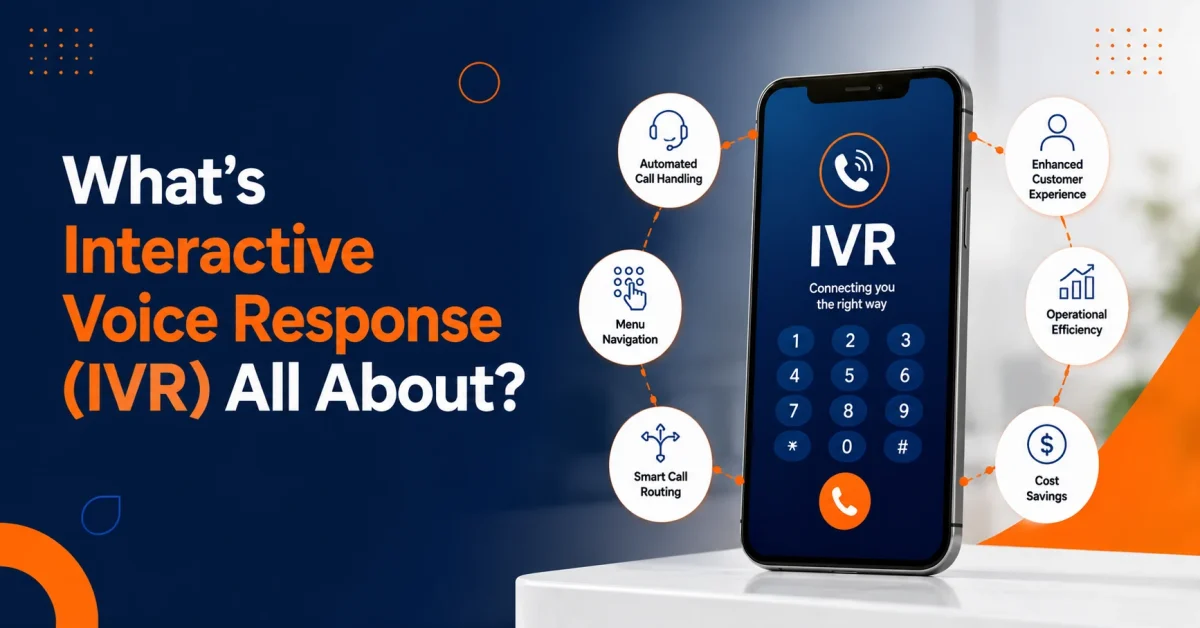

Table of Contents
Every business focuses on getting more calls or enquiries. At the same time, the volume of these calls can be overwhelming for the teams to handle. Subsequently, calls reaching the wrong person or department can frustrate the customers expecting instant answers to their questions and quick resolutions to their grievances.
Ultimately, all this chaos can have a huge impact on the revenue.
But that’s where an Interactive Voice Response comes in. IVR helps solve that problem by giving incoming calls a clear path before a live agent gets stuck in. For growing teams, it brings order to call handling, stops missed opportunities, and makes sure every caller feels like they’re getting somewhere – not just stuck in a hold queue.
This blog covers what IVR means, how an IVR system works, where IVR software fits into modern business communication, and how AI IVR can give you smarter routing, a better customer experience, and more efficient teams.
What Does IVR Stand For?
IVR stands for Interactive Voice Response. A good IVR allows callers to interact with an automated phone system instead of sitting on hold waiting for a person to answer every call manually. It gives them a clear choice: press a number or give a quick voice response, and the IVR phone system follows the call flow that your business wants.
In simple terms, IVR is like a system that guides customers through the prompts like this:
- Press 1 for new sales
- Press 2 for customer support
- Press 3 for billing
- Press 4 for appointments
- Press 5 for office hours or location details
The actual goal of an IVR is to get callers to the right place as quickly as possible.
However, a basic IVR just routes calls, but a modern IVR system can also handle self-service, after-hours messages, callback requests, voicemail, call queues, and multi-location routing.
And the result? Your teams get to answer calls faster, reduce missed calls, avoid wrong transfers, and manage call volume without adding extra manual work.
How Does an IVR System Work?
An IVR system just follows a call flow you’ve set up.
Here’s what usually happens:
- A customer calls your business number.
- The IVR greets them with a recorded or text-to-speech message.
- The caller chooses an option using the keypad or just speaks.
- The system figures out what they’ve chosen.
- The call gets routed to the right team, agent, extension, queue, or voicemail.
- Call data gets logged so you can track performance.
Traditionally, IVR used DTMF (Dual-Tone Multi-Frequency) input – so the caller presses numbers on the keypad. But more advanced systems use speech recognition, directed dialogue, or natural language processing, so callers can just say what they need.
For example, instead of pressing 2 for support, a caller might say, “I need help with my account.” And the system can then route the call based on what they said.
And that’s where AI IVR really comes in handy. It makes the phone experience feel a lot less like a rigid menu and a lot more like a guided conversation.
Why Businesses Use Interactive Voice Response
Businesses use Interactive Voice Response because manual call handling just doesn’t scale.
A receptionist can handle a few calls at a time. A small support team can handle moderate volume. But once calls start coming in from all over, and from different departments and campaigns and customer types, calls need some structure.
IVR gives that structure.
It Reduces Missed Calls
When every caller gets an immediate automated response, fewer calls get missed. This is especially useful during lunch hours, peak support times, sales campaigns, and after-hours inquiries.
Routes Callers Faster
A call routing system helps customers get to the right team without relying on manual transfers. Sales calls go to sales. Billing calls go to billing. Urgent calls can follow a different path.
Reduces Front Desk Pressure
IVR software helps reduce repetitive call handling. Instead of answering every call manually, staff get to focus on the ones that need human attention.
Supports 24/7 Availability
An automated phone system can provide business hours, location details, voicemail options, emergency routing, or callback instructions even when the team is offline.
Improves Call Visibility
Cloud-based IVR systems can show call volume, missed calls, abandoned calls, peak times, and routing performance. That helps leaders make better staffing and workflow decisions.
What We Often See in Growing Businesses
In our experience working with business communication systems, one of the biggest challenges isn’t call volume itself. It’s call routing. Many businesses lose valuable time because callers reach the wrong department, get transferred multiple times, or abandon the call before speaking with the right person.
We’ve found that keeping IVR menus simple and aligning routing options with the most common customer requests helps reduce confusion and improve the overall caller experience. As call volumes grow, a well-structured IVR often becomes one of the easiest ways to improve responsiveness without increasing staffing costs.
Traditional IVR vs AI IVR
| Area | Traditional IVR | AI IVR |
| Caller input | Keypad menu options | Keypad, voice, or intent-based input |
| Routing style | Fixed call paths | Smarter routing based on the caller's needs |
| Caller experience | Can feel rigid if menus are long | Can feel faster and more conversational |
| Call context | Limited before agent pickup | Can support transcripts, summaries, and insights |
| Business value | Basic routing and self-service | Routing, visibility, follow-up, and analytics |
| Best fit | Simple call flows | Growing teams with higher call complexity |
AI IVR isn’t about forcing every caller to talk to a bot forever – that’s the wrong approach altogether.
With AI IVR, we’re talking about understanding what the caller actually needs, getting them to the right person faster, and giving your team better context. When paired with AI call summaries, transcripts, sentiment insights, and action items, IVR becomes way more than just a menu. It becomes a vital part of a smarter customer communication workflow.
Real IVR Examples by Business Type
Good IVR examples are straightforward. They’re practical, not complicated.
Healthcare and Dental Offices
A healthcare practice might get calls for appointments, insurance, lab results, directions, and urgent care needs.
A simple IVR menu can route:
- New appointments to the scheduling team
- Billing questions to your accounts team
- Emergency calls to your urgent support team
- Location questions to recorded info
- After-hours calls to voicemail or a callback
This lightens the front desk load and helps patients avoid waiting for ages.
Real Estate Companies
Real estate firms can route calls by property type, location, buyer inquiry, seller inquiry, rental support or property management.
A caller looking for a listing shouldn’t end up with the wrong agent. IVR ensures the inquiry goes to the right person.
Financial Services
Banks, lenders, and advisory firms can use IVR to guide callers to account support, loan inquiries, payment questions, or appointment booking.
For sensitive industries, IVR design should also take into account compliance, privacy and secure identity workflows.
Logistics and Delivery Teams
Logistics businesses often deal with drivers, customers, vendors, dispatchers, and warehouse teams.
IVR can separate delivery status calls from dispatch issues, vendor calls, and customer support requests. This gets urgent operational calls moving faster.
SaaS and IT Companies
Software and IT teams can route calls to sales, onboarding, technical support, billing, or renewals.
AI IVR becomes super valuable when call transcripts, call summaries, and action items help sales and support teams follow up without losing context.
Where IVR Systems Can Go Wrong
IVR is only helpful when it’s designed around the caller.
A poorly planned IVR phone system can create real frustration. Callers might get stuck in long menus, choose the wrong option, or feel blocked from reaching a real person.
Common IVR mistakes include:
- Too many menu options
- Long greetings that keep the caller waiting
- Confusing department names
- No clear path to a live agent
- Poor after-hours handling
- No callback option
- Outdated routing rules
- No reporting on abandoned calls
- No review of menu performance
Here’s the bottom line: IVR should shorten the caller’s path, not make it harder.
If customers keep pressing zero, abandoning calls, or choosing the wrong menu option, the IVR flow needs work.
What Features Should You Look for in IVR Software?
The right IVR software depends on call volume, team size, locations, and customer needs. A small business might just need a simple IVR call menu. A growing company might need multi-level IVR, call queues, analytics, AI insights, and CRM-ready workflows.
Look for these features:
- Custom IVR call menus
- Multi-level IVR for teams, locations and departments
- Time-based call routing
- Call forwarding
- Voicemail routing
- Call queues
- Business phone numbers
- Mobile and desktop access
- Call analytics
- AI call summaries
- Speaker-labeled transcripts
- Sentiment insights
- Action items after calls
- CRM-ready workflows
- Easy admin controls
A strong IVR system should be easy to update – your team shouldn’t need to call in technical support every time a department changes, a new location opens, or a call flow needs adjusting.
Lessons from Real IVR Deployments
One common mistake businesses make is treating IVR as a one-time setup. In reality, call patterns change as teams grow, services expand, and customer expectations evolve.
For example, a company that initially needs options for sales and support may later require dedicated routing for billing, renewals, technical assistance, and regional offices. Businesses that regularly review call analytics and update their IVR flows tend to achieve better routing accuracy and fewer abandoned calls than those using outdated menus.
The most successful IVR implementations focus on reducing customer effort. When callers can quickly reach the right person without navigating complex menus, both customer satisfaction and team productivity improve.
How Vitel Global Helps Businesses Use IVR Better
Vitel Global gives businesses a cloud-based communication platform with IVR, multi-level call routing, voicemail, call forwarding, call queues, business phone numbers, and unified communication tools.
That matters because when calls, messages, meetings, analytics, and follow-ups all sit in different systems, teams lose context. A cloud business phone system brings all that together.
Vitel Global also supports AI call features such as summaries, transcripts, sentiment insights, action items, and call analytics. These tools help businesses understand what happened during calls and what should happen next.
For example:
- Sales teams can review buyer objections after calls.
- Support managers can track repeated customer issues.
- Operations teams can track peak call times and missed calls.
- Remote employees can stay connected through business calling tools.* Leaders can check up on call trends without having to listen to every single recording.
That’s the key difference between a basic IVR (or auto attendant) and one of those smarter business phone systems – one just takes care of routing the call, the other actually helps your business learn from the call.
How Do You Know If Your Business Needs IVR?
If call handling is getting all over the place, you probably need IVR
Here are some pretty clear warning signs:
- Customers keep dialing the wrong person.
- Your front desk is swamped with calls.
- During busy hours, you’re constantly missing calls.
- Staff are transferring calls back and forth a lot.
- After-hours callers are getting mixed messages.
- Sales leads aren’t being routed to the right person fast enough.
- Support calls don’t appear to be getting the right follow-up.
- Remote staff are having trouble getting through to customers.
- Customers are complaining about waiting ages for a callback.
- Managers can’t easily see what’s going on with call patterns.
If two or more of these things are happening, then using an IVR system can really help get calls moving more smoothly through your business.
The sooner you sort out your call routing, the less likely customers will be to get frustrated and leave because of a poor call experience.
Best Practices for Setting up IVR
A good IVR setup starts with what the customer is trying to achieve – not what your organization’s org chart looks like
Use these practical rules to help you:
- Keep the first menu options simple and short.
- Put the most common things customers need to do first.
- Use plain, simple words like sales, support, billing, and making an appointment.
- Give customers a way to talk to a human.
- Use after-hours routing for any urgent calls.
- Keep an eye on the calls that get missed or abandoned.
- Update your call flow any time your teams or services change.
- Use AI insights to try and spot any customer pain points.
- Test the IVR from a real caller’s point of view before you go live.
The best IVR systems are the ones that feel almost like they’re not even there. The customer just gets to where they need to go without even thinking about the system behind it.
Expert Recommendation
A practical rule followed by many business communication specialists is to keep the main IVR menu concise. Too many options can overwhelm callers and increase abandonment rates. Whenever possible, place the most frequently requested departments at the beginning of the menu and review call analytics regularly to identify bottlenecks or unnecessary routing steps.
An IVR should guide callers efficiently, not force them to navigate a complicated phone tree. Remember that simplicity delivers better results than complexity.
Upgrade Your Call Experience with Smarter IVR
Streamline customer calls, reduce missed opportunities, and route every caller to the right place instantly with an intelligent IVR system.
Frequently Asked Questions
1. What is Interactive Voice Response?
Interactive Voice Response is a type of automated phone tech that answers calls, gives customers menu options, takes input from them, and then routes the call to where it needs to go.
2. What does IVR stand for in a phone system?
IVR stands for Interactive Voice Response. In a phone system, it’s what the automated call menus are all about – helping customers choose where their call should go.
3. What is an IVR system used for?
An IVR system is used for all those things like call routing, automated self-service, booking appointments, after-hours messages, voicemail routing, queueing calls, and automating customer support.
4. What’s the difference between IVR and AI IVR?
Traditional IVR systems just have fixed menus, and you have to enter a number using a keypad. AI IVR, on the other hand, can use speech recognition, figure out what you’re trying to say, summarise the call, provide a transcript, sentiment analysis, and all that kind of thing, and smarter routing.
5. What are some examples of IVR?
Common examples include things like “Press 1 for sales”, routing billing inquiries, confirming appointments, support routing, after-hours voicemail, asking for a callback, and dealing with multi-location call menus.
6. Is IVR software useful for small businesses?
Yep. IVR software helps small businesses sound professional, reduces missed calls, speeds up call routing, supports after-hours inquiries, and cuts down on manual phone handling.
7. How does Vitel Global support IVR?
Vitel Global supports IVR with its cloud business phone system, multi-level call routing, voicemail, call forwarding, call queues, analytics, AI call summaries, transcripts, sentiment insights, and action items.
Published: June 25th, 2026
Subscribe to Our Latest Updates
Get monthly product and feature updates, the latest industry news, and more!